GIFs · Tool 43 · GIF resizer · Free · No signup
GIF resizer.
Drop an animated GIF, set a new width and height or press a Discord or Slack emoji size, and download it. Every frame and delay stays as it was. No watermark, no account, and your file is never uploaded.
01 GIF
It stays on your device. Nothing uploads.
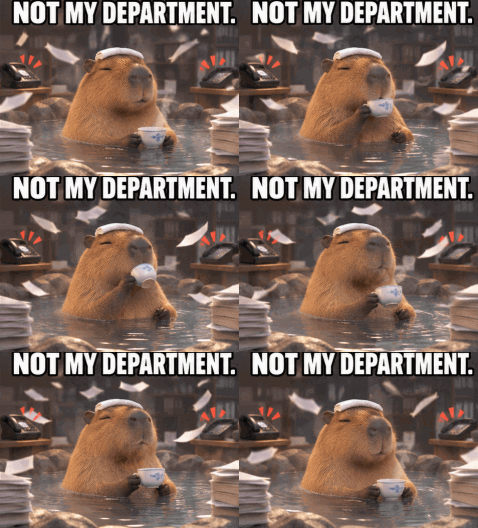
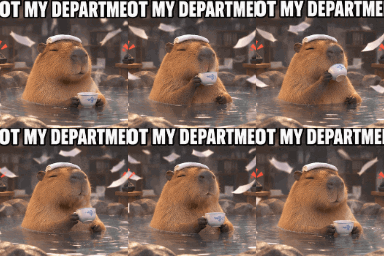
Made with this tool

How to resize a GIF
A GIF is more than a stack of pictures. Most frames store only the patch that changed, so a resizer first has to rebuild each full frame from the ones before it, following the rule each frame sets for what happens to it afterwards. Only then can it scale the picture and work out new colors. All of that happens here in your browser, frame by frame.
- Drop your GIF anywhere on the page, or press Try a sample GIF. It starts playing straight away, at half size if it is large.
- Press Discord emoji, Slack emoji or a percentage, or type a width and height. The other side follows while Keep proportions is on.
- If the new shape differs from the old one, choose Crop to fill, Fit inside or Stretch.
- Press Resize GIF. A long GIF takes a few seconds, and the button shows how far along it is.
- Check the new file size under the button, then download the GIF.
Related
- GIF compressorStill too big? Pick a target file size and it finds the gentlest way to reach it.
- GIF to MP4The same animation as a video, often a tenth of the size.
- Crop GIFDrag a box to cut a GIF to any shape, with no rescaling.
- Add text to GIFMeme captions, the same on every frame.
- GIF speed changerFaster, slower or backwards, with every pixel left as it was.
- Video to GIFAny part of an MP4, MOV or WebM as a GIF.
- Image to GIFSeveral pictures into one animated GIF.
- Typing text GIF makerYour words typed out letter by letter, as a small GIF.
- Text animation generatorEight moving styles for your words, as a GIF or a 1080p MP4.
- Glitch effectA photo, logo or word glitched, saved as a GIF.
- Snow overlayFalling snow as a looping GIF or a transparent PNG.
- How to make a GIF in ChatGPTMake the GIF first, with 18 tested prompts, then bring it here to size it.
Questions
Does resizing keep the animation?+
Yes. Every frame is rebuilt at the new size and keeps its own delay, so a GIF with uneven timing still has the same timing and runs for the same length. A GIF set to play once still plays once. Colors can shift slightly, because each frame gets a new palette of up to 255 colors worked out for its new pixels.
What size should a Discord emoji GIF be?+
Discord's help page gives one hard limit: under 256 KB. It names no pixel size, and 128 by 128 is the size people normally use, so that is what the preset makes. Our 477 by 351 capybara came out at 114 KB at that size. Discord also says animated emoji slots need Nitro or Nitro Basic.
What size should a Slack emoji GIF be?+
Slack says square images under 128 KB work best, and that a GIF can have up to 50 frames. It names no pixel size either, so the preset makes the common 128 by 128. Resizing does not change the frame count, so the tool warns you if your GIF has more than 50, and the GIF compressor can thin the frames to fit.
How much smaller will the file get?+
It depends on how much moves between frames. Our capybara GIF went from 751 KB at 477 by 351 to 246 KB at half that width, about a third of the size, and to 114 KB at 128 by 128. A 300 frame test full of moving color went from 7.7 MB to 2.6 MB at half the width. The result shows the old and new sizes together.
Can I change the shape without squashing it?+
Yes. Untick Keep proportions and type any width and height, or press an emoji preset. You then choose Crop to fill, which cuts the overflow evenly from the sides; Fit inside, which keeps the whole picture and leaves see-through edges; or Stretch, which distorts it to fit. A caption near the edge can be cut off by Crop to fill, so use Fit inside for a meme.
Does it keep a transparent background?+
Yes. Clear pixels stay clear. GIF has no partial transparency, so a pixel is either solid or fully clear and scaled edges come out hard. Against a background very different from the one the GIF was made for, the outline can look a little rough.
Can I make a GIF bigger?+
Yes, up to 2048 pixels a side, but it will look soft, as enlarging only spreads out the pixels already there. The file also grows, so a large size takes longer to make and may be too big to post.
How long does it take?+
A small GIF takes about a second. Our heaviest test, 300 frames at 800 by 600 going to 400 by 300, took 3 seconds to open and 11 to resize on a desktop browser. A phone will be slower, and a very long GIF at a large size can run out of memory on one, as every frame is held in the browser.
Is my GIF uploaded?+
No. The file is read, resized and written by your browser, so it never leaves your device. The page counts only that a GIF was made and how long it runs. That is the main difference from ezgif, the best known GIF site: its own pages say files go to its server by default and are deleted after an hour, unless you tick its Local processing box (checked November 2026).