GIFs · Tool 44 · GIF compressor · Free · No signup
GIF compressor.
Drop an animated GIF and choose the size you need: half, a Discord or Slack emoji, a Discord message or any number of KB. It finds the gentlest way there and plays the result before you download it. No watermark, and your file is never uploaded.
01 GIF
It stays on your device. Nothing uploads.
Made with this tool


How to compress a GIF
File size in a GIF comes from three things: how many pixels each frame has, how many frames there are, and how much changes from one frame to the next. That last one is why a talking head on a still background stays small while a shaky phone clip is huge. So a target is rarely reached by one setting. This tool walks from changes you will not notice to ones you will, testing each on your real file, and stops at the first that fits. It also tells you exactly what it changed, so you can decide whether a smaller target is worth it.
- Drop your GIF anywhere on the page, or press Try a sample GIF.
- Pick a target: Half the size, Discord emoji, Slack emoji or Discord message, or type a size in KB.
- Press Compress GIF. It may try several settings, so a long GIF can take a while, and the button shows the progress.
- Read the sizes and what changed, and use Before and After under the preview to compare the two.
- Download the GIF, or press Try another size if you can afford more quality or need fewer bytes.
Related
- Compress videoMake a video small enough for Discord or email.
- GIF resizerSet an exact width and height, with crop, fit or stretch for a square emoji.
- GIF to MP4If it does not have to be a GIF: the same animation as a video, often a tenth of the size.
- Crop GIFDrag a box to cut a GIF to any shape, with no rescaling.
- Add text to GIFMeme captions, the same on every frame.
- GIF speed changerFaster, slower or backwards, with every pixel left as it was.
- Video to GIFAny part of an MP4, MOV or WebM as a GIF.
- Image to GIFSeveral pictures into one animated GIF.
- Typing text GIF makerFlat text on one color is about the smallest a GIF gets.
- Snow overlayFalling snow as a looping GIF or a transparent PNG.
- Glitch effectA photo, logo or word glitched, saved as a GIF or a much smaller MP4.
- How to make a GIF in ChatGPTWhat it makes, how big the files are, and which limits they run into.
Questions
How does it compress a GIF?+
It tries to change as little as it can. First it gives the whole GIF one shared palette and leaves pixels alone when they barely differ from the frame before, which saves a lot on the same picture. If that is not enough it shrinks the picture, then uses fewer colors, and drops frames only as a last resort. We tried it both ways and a slightly smaller picture looks cleaner than a full-size one with its background reduced to blotches. It encodes the real file on each try, up to six times, and keeps the gentlest result under your target.
How small can it get a GIF?+
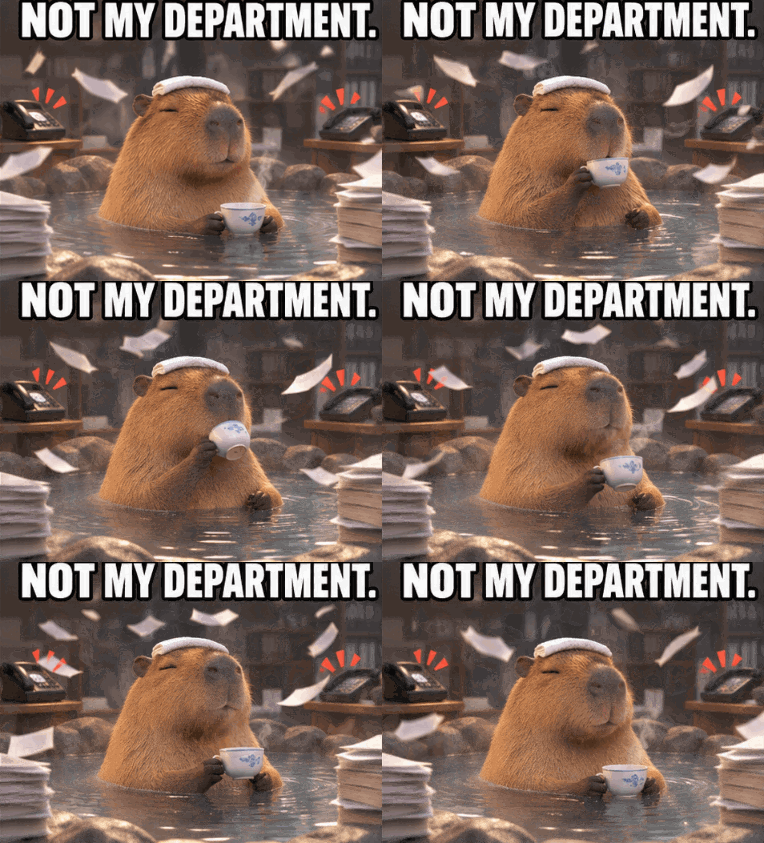
Asked for half, our 751 KB capybara came down to 368 KB at 382 by 281 with every frame kept. Going to the 128 pixel emoji size took it to 74 KB. Asked for under 5 KB, it reached 4 KB by keeping just 2 of 9 frames at 95 by 70, which shows there is always a floor where a GIF stops being worth keeping. If it cannot reach your target, it tells you and gives you the smallest it made.
What is the size limit for a Discord emoji?+
Discord says custom emoji must be under 256 KB. The preset aims under that and also brings the picture down to 128 pixels on its long side, the usual emoji size, since a larger one is shown small anyway and only wastes bytes. Our 296 KB transparent sticker came out at 51 KB with all 12 frames. Discord also says animated emoji slots need Nitro or Nitro Basic.
What is the GIF size limit on Discord?+
Discord's help page gives 20 MB for a file in a message without Nitro, and says it is experimenting with limits, so some accounts may see a different number. The Discord message preset aims for 20 MB. Discord's settings page also says an image larger than 20 MB is shared as a download instead of being shown in the chat.
What about Slack emoji?+
Slack says square images under 128 KB work best and that a GIF can have up to 50 frames. The preset aims under 128 KB at 128 pixels on the long side and thins the frames if there are more than 50. It keeps your GIF's shape, so use the GIF resizer first if yours is not square.
Will my GIF lose quality?+
Some, because that is where the bytes come from, but you can judge it before downloading. The result plays in the preview, and Before and After switch between the two. A gentle target keeps the picture sharp. A harsh one shows banding in smooth gradients, as there are fewer colors to draw them with, and a choppier animation if frames had to go.
Does it keep the speed and the transparency?+
Yes. When a frame is dropped, its time goes to the frame before it, so the GIF runs for the same length: the 1.62 second capybara stayed 1.62 seconds with 7 of its 9 frames gone. Uneven delays are kept, and clear pixels stay clear. Those pixels have hard edges, as GIF has no partial transparency.
Why did the file barely shrink?+
A GIF that is already well optimized has little left to give without visible loss, and a target close to its current size asks for only a gentle pass. If nothing smaller than the original comes out, you get the original back rather than a bigger file. For more, pick a lower target, as the tool does not lower quality until a target asks for it.
How long does it take?+
A small GIF takes a second or two. Our heaviest test, 300 frames of moving color at 800 by 600 and 7.7 MB, took 21 seconds on a desktop browser to reach 3.1 MB, because each try encodes every frame. A phone will be slower, and a very long GIF at a large size can run out of memory on one.
Is my GIF uploaded?+
No. Everything happens in your browser and the file never leaves your device. The page counts only that a GIF was compressed and how long it runs. That is the main difference from ezgif, the best known GIF site: its own pages say files go to its server by default and are deleted after an hour, unless you tick its Local processing box (checked November 2026).