GIFs · Tool 36 · Typing GIF · Free · No signup
Typing text GIF maker.
Type your words and watch them appear letter by letter with a blinking cursor. Set the font, the colours and the speed, then download a small GIF that loops or a 1080p MP4. No watermark, and nothing is uploaded.
GIF: 480 px on the long side, 15 fps, loops. MP4: 1080p, 30 fps, silent. Free for any use, no watermark, nothing uploaded.
Made with this tool
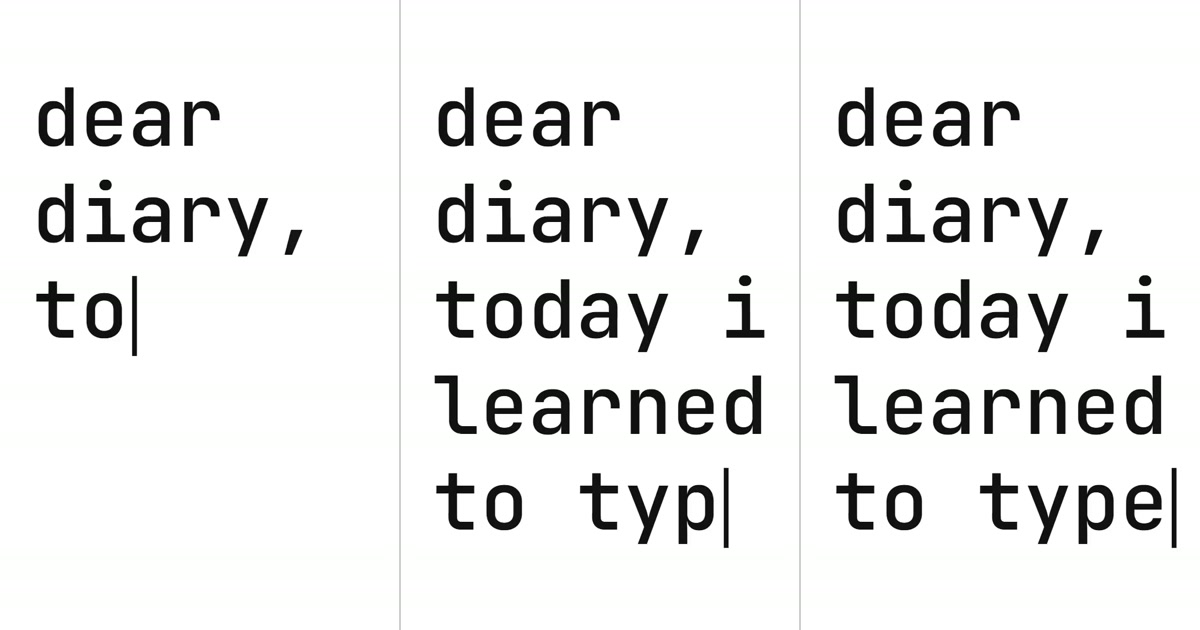
How to make a typing text GIF
A typing animation makes people read at the speed you choose. The eye follows the cursor, so the last word arrives last, which is why this works for a punchline, a question or a name. Keep it to one sentence: past about 80 letters, a viewer who joined halfway has to wait for the loop to come back round before they can read the start.
- Type your words in the box, pressing Enter where a line should break. The preview starts typing them straight away.
- Choose a font. Mono looks like a terminal or a typewriter; the others suit a title or a caption.
- Set the text colour and what goes behind it, using the same colour as the page if the GIF will sit on one.
- Pick the frame and the speed, and turn the cursor off if you do not want it.
- Press Export GIF, then download the file. Export MP4 makes the same animation at 1080p for an editor or a phone app.
Related
- Text animation generatorSeven more styles for the same words: zoom, kinetic, pop, rise, neon, marquee and wave.
- Lyric video makerA whole song's words on screen, timed to the music.
- Fake text message generatorWords as a made-up chat: a phone screenshot or a video.
- Glitch effectYour words torn up in eight glitch looks, as an MP4 or a GIF.
- Add text to GIFYour words over a GIF you already have, as meme captions.
- How to make a GIF in ChatGPTWhat it can do, what it gets wrong, and when an exact text GIF is the better choice.
Questions
How big is the GIF?+
A 16:9 GIF is 480 by 270 pixels at 15 frames a second. A 49 letter sentence in black on white came out at 79 KB and ran 4.7 seconds when we measured it. Flat colours and a mostly still picture are what a GIF compresses best, so this is about as small as an animated GIF gets. More letters add frames, and a font with larger letters on screen adds a little more.
How fast does it type, and how long does it run?+
About 15 letters a second on Normal, 10 on Slow and 21 on Fast. After the last letter it holds for about a second and a half, with the cursor blinking, so people can finish reading, and then fades out over a quarter of a second. Your text can be up to 200 characters. To type in lines, press Enter where you want each one to break.
Does it loop?+
Yes. The GIF is set to loop forever, and the end fades to the background, so it comes back to the empty frame with no jump. The MP4 plays once and stops unless the player loops it, which most phone apps do by themselves.
Why does my GIF show a blank frame in an email?+
A typing animation starts empty, and some desktop versions of Outlook show only the first frame of a GIF. If your readers use Outlook, say the same thing in the text next to it. Nearly every other mail app and web browser plays the whole animation.
Can the GIF have a transparent background?+
Not here. A GIF pixel is either fully see-through or fully solid, so the soft edges of letters come out jagged on anything but the colour they were made for. Instead, set Behind to the exact colour of the page it will sit on, using Any. For video, set it to Green screen and key it out in your editor; a transparent MOV is part of Pro, which is not open yet.
How do I put it in a GitHub README or on a website?+
In a GitHub README, drag the GIF into the edit box and GitHub writes the image link for you, or commit the file and link it with . On a website it is an ordinary image: <img src="typing.gif" alt="the words it types">. Put the full sentence in the alt text so that screen readers get all of it at once.
Does it work with other languages and emoji?+
Accented letters and emoji are typed as one character each, and Chinese falls back to a system font. Scripts whose letters join up, such as Arabic, are drawn one letter at a time and come out unjoined, so this style does not suit them.
Is it free, and are my words uploaded?+
Free, with no account and no watermark, and you can use the file for anything, including commercial work. All six fonts are under the SIL Open Font License. Every frame is drawn and encoded in your browser, and the page counts only that a file was made, not what it says.