GIFs · Tool 50 · Image to GIF · Free · No signup
Image to GIF.
Drop your JPG, PNG or WebP images, drag them into order, and choose how long each one shows. The preview plays as you go, then you download a looping GIF. No watermark, no account, and your pictures are never uploaded.
01 Images
JPG, PNG or WebP, up to 100. They stay on your device.
Made with this tool
How to make a GIF from images
For a smooth loop, make the last image lead back into the first, or the jump shows on every pass. A slideshow does not need that, but it does need the same framing across images, as a GIF's limited colors and small size leave no room for a busy picture to explain itself. Fewer, clearer images usually beat more of them.
- Drop your images anywhere on the page, or press Try sample images. They start playing straight away.
- Drag them into the order you want, or use the arrows under each one. The first image sets the shape of the GIF.
- Choose how long each image shows: short for animation, a second or two for a slideshow.
- Pick a width, and for mixed shapes choose Fit whole or Fill frame.
- Press Make the GIF, then download it.
Related
- Ken Burns effectPhotos as a slow zoom and pan video.
- GIF makerOne place to start, from a video or a set of images.
- Video to GIFStart from a clip in place of still pictures.
- GIF compressorBring it under a Discord, Slack or custom file size.
- Add text to GIFMeme captions, the same on every frame.
- GIF speed changerChange the pace afterwards with every pixel left as it was.
- Glitch effectMake one photo move: a glitch on your picture, saved as a GIF.
- Snow overlayFalling snow over one photo, as a looping GIF.
- How to make a GIF in ChatGPTAnimate one picture with new motion, with 18 tested prompts.
Questions
How do I turn images into a GIF?+
Drop your images on the page, all at once or a few at a time. Drag them into order, or use the arrows on a phone, choose how long each one shows, and press Make the GIF. The preview plays the result the whole time, so you can judge the speed before you make the file.
Can I turn one picture into an animated GIF?+
One image here gives you a GIF that does not move, which is useful if you only need the format. To make a single picture move, try the glitch effect or the snow overlay on this site, which animate your actual picture, or ChatGPT, which redraws it with new motion and needs an account. Our guide to making a GIF in ChatGPT shows what that can do.
How fast should it go?+
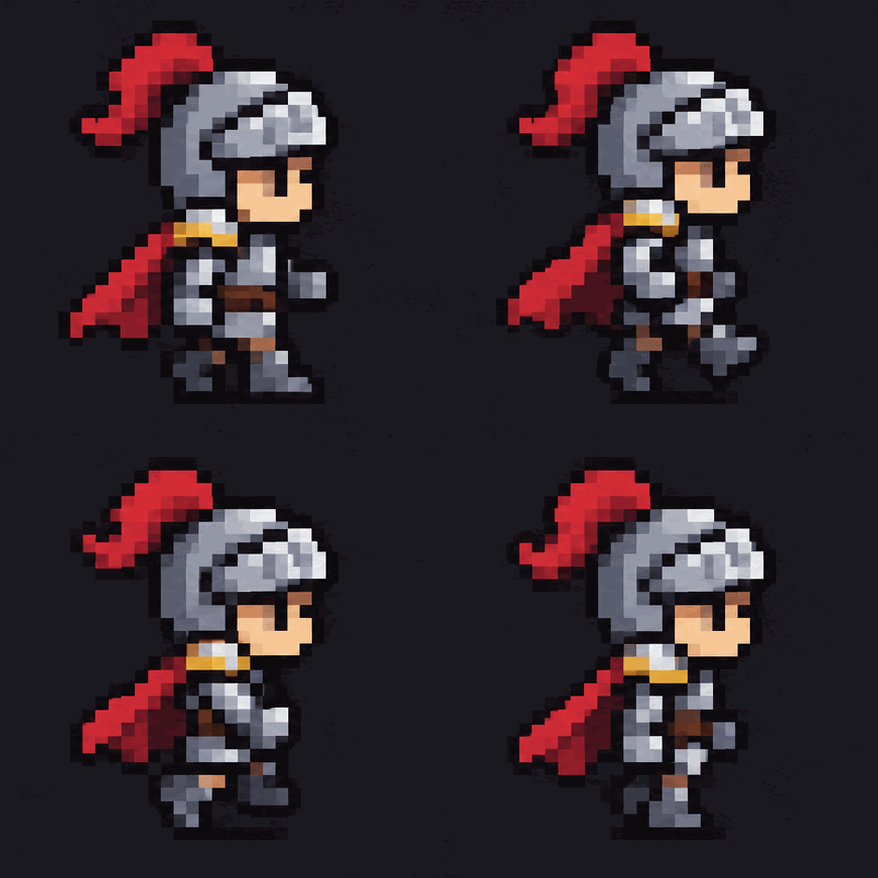
For frames of an animation, like the knight here, 0.1 to 0.2 seconds each looks like movement. For a slideshow of photos, 1 to 2 seconds gives people time to look. All images get the same time, from 0.02 to 5 seconds each. To change the timing afterwards, the GIF speed changer can do that without touching the picture.
What if my images are different shapes?+
The GIF takes the shape of your first image, so drag the one you want to set the shape to the front. Then choose Fit whole, which keeps every picture complete and leaves empty edges that can be clear, black or white, or Fill frame, which cuts the overflow from each picture.
What image formats work?+
JPG, PNG and WebP, up to 100 images. We tested all three, and a phone photo stored sideways with a rotation tag came out upright. If a browser cannot read a file, such as an iPhone HEIC photo in some browsers, the page names it and uses the rest, so save that one as a JPG. A GIF dropped here counts as its first frame only.
Does it keep transparency?+
Yes. A PNG with a clear background stays clear in the GIF. A pixel in a GIF is either solid or fully clear, so soft edges come out hard. If that looks rough, set Behind to the color of the page the GIF will sit on, which you can do when your images have mixed shapes, or flatten them first.
How big will the file be?+
It depends mostly on the width and the number of images. Our 4 frame knight at 439 wide came to 109 KB, and 7 mixed pictures at 320 wide came to 82 KB. Photos are heavier than flat drawings, since a GIF has at most 256 colors for each frame. If yours is too big, pick a smaller width or run it through the GIF compressor.
Are my images uploaded?+
No. They are opened and drawn in your browser, so your photos never leave your device, and there is no watermark or account. The page counts only that a GIF was made and how long it runs. That is the main difference from ezgif, the best known GIF site: its own pages say files go to its server by default and are deleted after an hour, unless you tick its Local processing box (checked November 2026).