GIFs · Tool 51 · GIF maker · Free · No signup
GIF maker.
Drop a video or a set of images and make a GIF from them. Choose the part of the video, or the order of the pictures, then the speed and the size. No watermark, no account, and your files are never uploaded.
01 What you have
MP4, MOV, WebM, JPG, PNG or WebP. It all stays on your device.
No files? Make a GIF from typed words, moving text or falling snow.
Made with this tool

How to make a GIF
A good GIF is short and shows one thing. It plays on a loop with no sound, often small and in the middle of a feed, so it has to make its point within a second or two and still look right the fourth time round. Choose the moment first, keep it as short as you can, and only then worry about the size.
- Drop a video or some images anywhere on the page, or press one of the samples.
- For a video, drag the handles on the strip of frames to choose the part you want. For images, drag them into order.
- Set the size: a width and frame rate for a video, a width and a time per image for pictures. The preview plays as you go.
- Press Make the GIF. The finished file appears with its size.
- Download it, or press Start over to make another from something else.
Related
- Video to GIFThe same video controls, on a page of their own.
- Image to GIFThe same image controls, on a page of their own.
- Add text to GIFMeme captions, the same on every frame.
- GIF compressorBring your GIF under a Discord, Slack or custom file size.
- Crop GIFDrag a box to cut it to a square or a phone shape.
- Typing text GIF makerNo files? Your words typed out letter by letter.
- How to make a GIF in ChatGPTStarting from nothing: 18 tested prompts, with their real limits.
Questions
What can I make a GIF from?+
A video, in MP4, MOV or WebM, or a set of images, in JPG, PNG or WebP. Drop what you have and the page opens the right controls. If you have no files, the typing text and text animation tools make a GIF from words, and the snow overlay makes one from nothing at all.
Video or images: which should I use?+
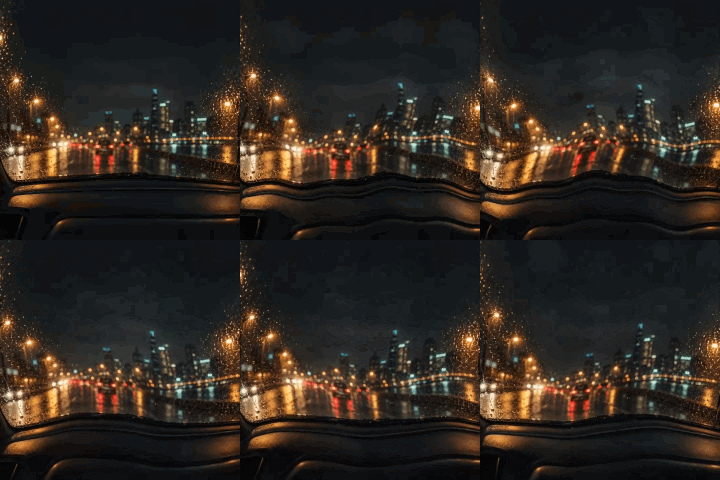
Use a video for real movement: a reaction, a clip, a screen recording. Use images when you already have the frames, such as drawings or sprites, or when you want a slideshow of photos. Images also come out far smaller: our 4 frame knight is 109 KB, while 5 seconds of grainy night video at 240 wide is 1.0 MB.
Is it really free, with no watermark?+
Yes. There is no account, no watermark and no limit on how many you make, and you can use the GIFs for anything, including commercial work. It costs us nothing to run, because your own browser does the work, which is why it can stay free.
How big will my GIF be?+
For a video, the page estimates the file size before you make it, and the estimate came within about 5% of the real file in our tests. Width counts most, then frame rate, then length. If it comes out too big for where it is going, the GIF compressor brings it under a limit such as a Discord emoji's 256 KB.
How long can a GIF be?+
Up to 60 seconds from a video, or up to 100 images at up to 5 seconds each. A GIF of a few seconds is usually what you want, because file size grows quickly with length and people rarely watch a long one through.
Can I add text or change the GIF afterwards?+
Yes. The other GIF tools take the file you made: add a meme caption, crop it to a square or a phone shape, change its speed or play it backwards, resize it, or compress it. If you drop a finished GIF here, the page points you to them.
Does it work on a phone?+
The page is built for one, with large buttons and arrows for putting images in order. We tested the layout at phone width in Chrome rather than on real phones, and a long video will be slower than on a computer. If a browser cannot read a file, such as an iPhone HEVC video in some browsers, the page says so.
Are my files uploaded?+
No. Everything happens in your browser, so your video and photos never leave your device. The page counts only that a GIF was made and how long it runs. That is the main difference from ezgif, the best known GIF site: its own pages say files go to its server by default and are deleted after an hour, unless you tick its Local processing box (checked November 2026).