GIFs · Tool 49 · Video to GIF · Free · No signup
Video to GIF.
Drop an MP4, MOV or WebM, drag the handles to choose the part you want, and see how big the GIF will be before you make it. Up to 60 seconds, in the width and frame rate you pick. No watermark, no account, and your video is never uploaded.
01 Video
It stays on your device. Nothing uploads.
Made with this tool
How to convert a video to a GIF
Cut hard. A GIF plays on a loop with no sound, so it works best as one clear moment: a reaction, a goal, a single step on a screen. Start just before the action and end just after it, and a viewer gets the point on the first pass. If the last frame looks close to the first, the loop also hides its own seam.
- Drop your video anywhere on the page, or press Try a sample video. The first five seconds start playing round and round.
- Drag the two handles on the strip of frames to the start and end of the part you want. The picture follows, so you can stop on the exact frame.
- Pick a width and a frame rate, and watch the expected file size change.
- Press Make the GIF. The bar shows how far along it is, and the finished GIF replaces the preview.
- Check it and download the GIF, or press Change something to try another size.
Related
- GIF makerOne place to start, from a video or a set of images.
- Image to GIFSeveral pictures into one animated GIF.
- GIF compressorBring the GIF under a Discord, Slack or custom file size.
- Add text to GIFMeme captions, the same on every frame.
- Crop GIFDrag a box to cut the GIF to a square or a phone shape.
- GIF speed changerFaster, slower or backwards, with every pixel left as it was.
- Boomerang video makerA second of video forwards and back, as a GIF or MP4.
- GIF to MP4The other way round, often a tenth of the size.
- Extract audio from videoThe sound a GIF leaves behind, as an MP3 or WAV.
- How to make a GIF in ChatGPTNo video to start from? Make a GIF from one sentence.
Questions
How do I turn a video into a GIF?+
Drop the video on the page, drag the two handles on the strip of frames to choose the part you want, pick a width and a frame rate, and press Make the GIF. The first five seconds are selected to start with, so you can press the button straight away.
Why is my GIF bigger than the video?+
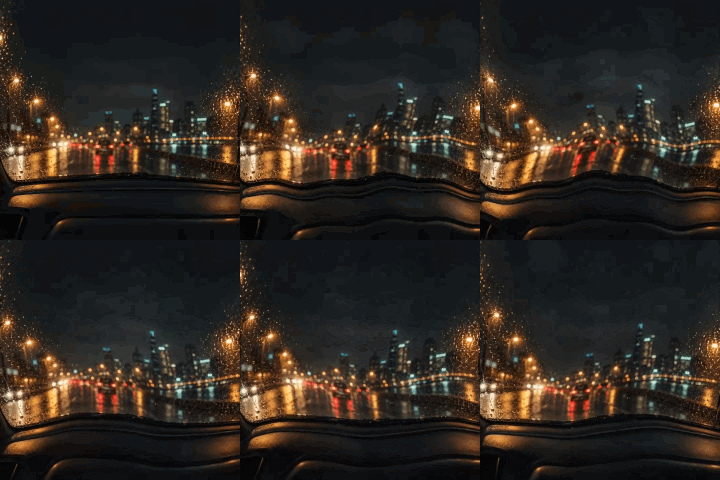
That is normal, not a fault. A GIF has at most 256 colors at a time and compresses far less than video. Our 8 second, 530 KB night drive video made a 4.9 MB GIF from just 5 seconds at 480 wide. If the file only has to play somewhere, and not be a real GIF, keep the video.
How can I make the GIF smaller?+
Width counts most, then frame rate, then length. The same 5 seconds came to 4.9 MB at 480 wide, 2.4 MB at 320, and 1.0 MB at 240 wide and 10 frames a second. The size is estimated before you press the button, and came within about 5% of the real file in our tests. To hit an exact limit, run the result through the GIF compressor.
What width and frame rate should I pick?+
For a chat or a forum, 320 to 480 wide at 15 frames a second is a good start. Go to 10 for screen recordings and slow scenes, which look fine and save a lot, and to 20 or 25 for fast movement. Going higher than the video's own frame rate adds nothing.
How long can the GIF be?+
Up to 60 seconds, and the video itself can be much longer, because only the part you choose is read. A 60 second clip from an 80 MB video took 11 seconds at 240 wide on a desktop browser. A GIF of a few seconds is usually what you want, as long ones get very big.
What video formats work?+
We tested MP4 in H.264, MOV, and WebM in VP9 in Chrome. A vertical phone video comes out upright. HEVC, which iPhones use by default, depends on your browser and device: a test file opened in our copy of Chrome, and if yours cannot read one, the page says so. Saving the clip as H.264 or opening the page in another browser should solve it.
Does the GIF have sound?+
No. GIF has no sound at all, so the audio is left out. If you need the sound, keep it as a video.
Is my video uploaded?+
No. Your browser reads the video and writes the GIF on your device, so a private clip stays private, and a large one does not have to travel anywhere. There is no watermark or account. The page counts only that a GIF was made and how long it runs. That is the main difference from ezgif, the best known GIF site: its own page says files go to its server by default, up to 200 MB, and are deleted after an hour, unless you tick its Local processing box (checked November 2026).