Guides · Christmas photos
ChatGPT Christmas photo prompts: 18 tested, with the results
18 Christmas photo prompts for ChatGPT, tested on everyday photos: glam shoots, matching family pajamas, the Grinch, pets, couples, 90s movie stills.
November 8, 2026
In short
- Upload a photo first, then paste the prompt. Start every prompt by saying to keep your face, skin tone and features the same: it is the line people copy most, and it worked in all of our tests.
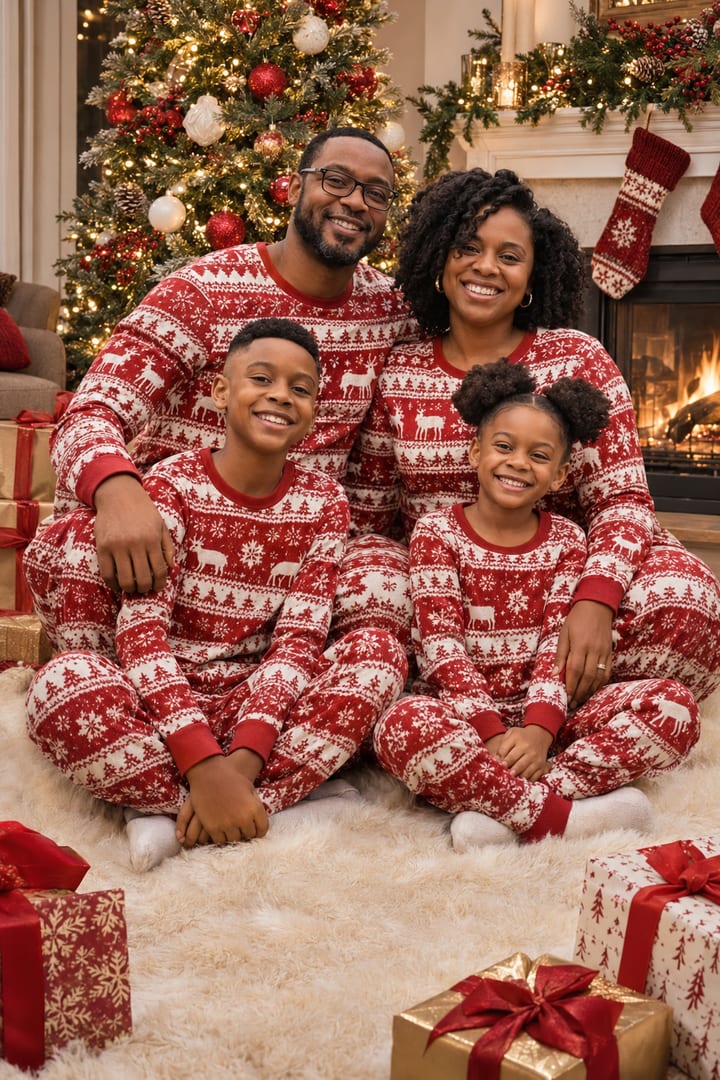
- For family photos, say to keep exactly as many people as in the photo, with no one added. Our family of four stayed four, with the same faces and skin tones, in every family prompt.
- Expect some refusals. Three of our four Grinch photoshoot tries were blocked by OpenAI's safety filter, the first as sexual for a 'fuzzy green mini dress'. The one that went through asked for a person in a Grinch costume, in a sweater.
- Short text works: the tag on the dog's gift box came out spelled exactly as written.
Every December, ChatGPT turns ordinary snapshots into Christmas photos: a glam shoot on a staircase, the whole family in matching pajamas, a Grinch photoshoot. We looked at what people made and posted on TikTok last season, wrote a prompt for each kind, and ran all of them on everyday photos on November 8, 2026. Every example below shows the exact prompt and the photo it started from, so you can copy it and swap in your own.
The people in these photos don’t exist: the “before” pictures were made with AI first, to look like the phone photos you’d upload. We ran the prompts through OpenAI’s image generator in Codex, with the photo attached, which is the same kind of request as uploading a photo in ChatGPT.
How to use these prompts in ChatGPT
- Open a chat in ChatGPT, on the web or in the app, and upload your photo with the + button.
- Pick a sharp, well-lit photo where faces are large. For a family photo, use one with everyone in it.
- Copy a prompt below, paste it, and send.
- To change something, say it in the same chat: “same photo, but warmer light” or “keep her face exactly like the photo”.
- Download it, and if you like, turn it into a card that opens from an envelope.
The first line of every prompt tells ChatGPT to keep the face. It’s the line people copy most in Christmas prompt videos, and it’s why the faces below match their photos.
The photos we started from
These are the “before” photos. Each prompt below says which one it started from.
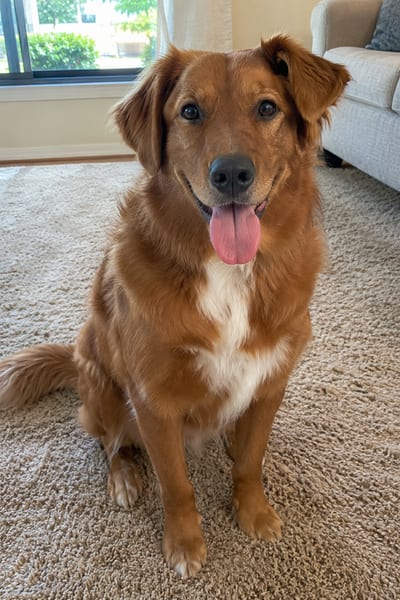
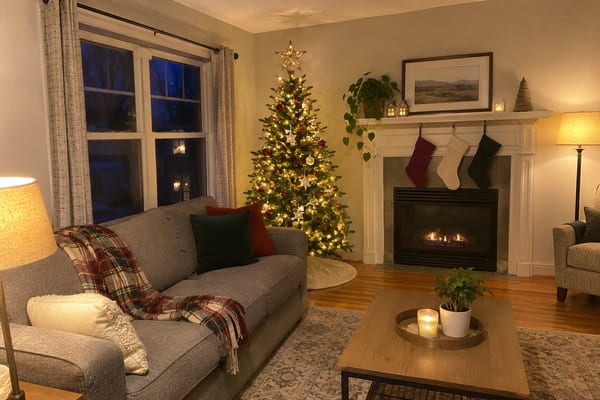
Glam Christmas photoshoot prompts
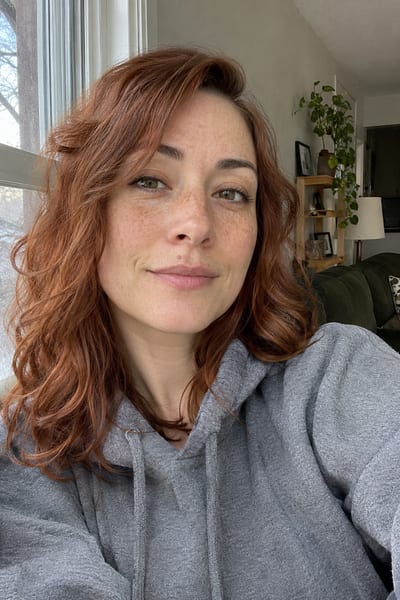
The most-posted kind by far: one person, a big set, a dress or a cozy outfit. All five started from the same selfie in a grey hoodie.
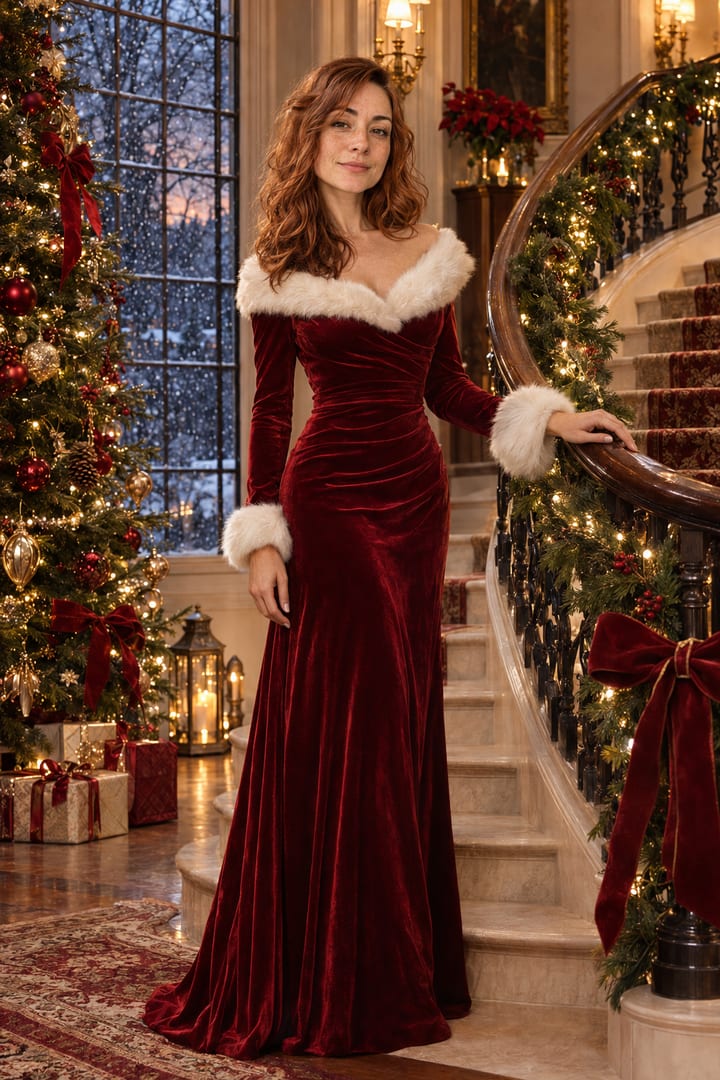
Use my uploaded photo as the exact face reference. Keep my face, skin tone, hair and features exactly the same, and do not change my identity. Create a full-length Christmas glamour photo of me standing on a grand curved staircase wrapped in garland and warm fairy lights. I'm wearing a deep red velvet gown with white faux-fur trim, one hand on the banister. Tall decorated Christmas tree at the bottom, soft snow falling outside a tall window, warm golden light, shallow depth of field, shot like a luxury holiday campaign.
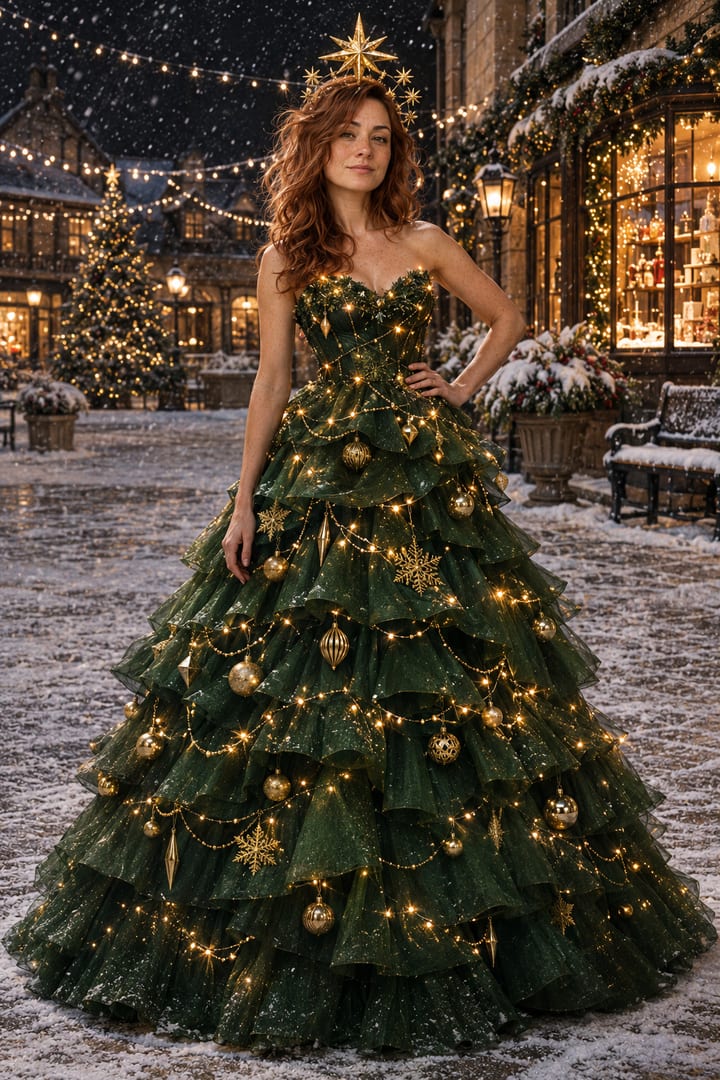
Use my uploaded photo as the exact face reference. Keep my face, skin tone, hair and features exactly the same, and do not change my identity. Create a fashion photo of me wearing a dramatic gown that looks like a Christmas tree: deep green tiered layers covered in tiny warm lights, gold ornaments and a gold star headpiece. I'm standing in a snowy village square at night with string lights and shop windows glowing behind me. Full length, editorial, cinematic lighting.
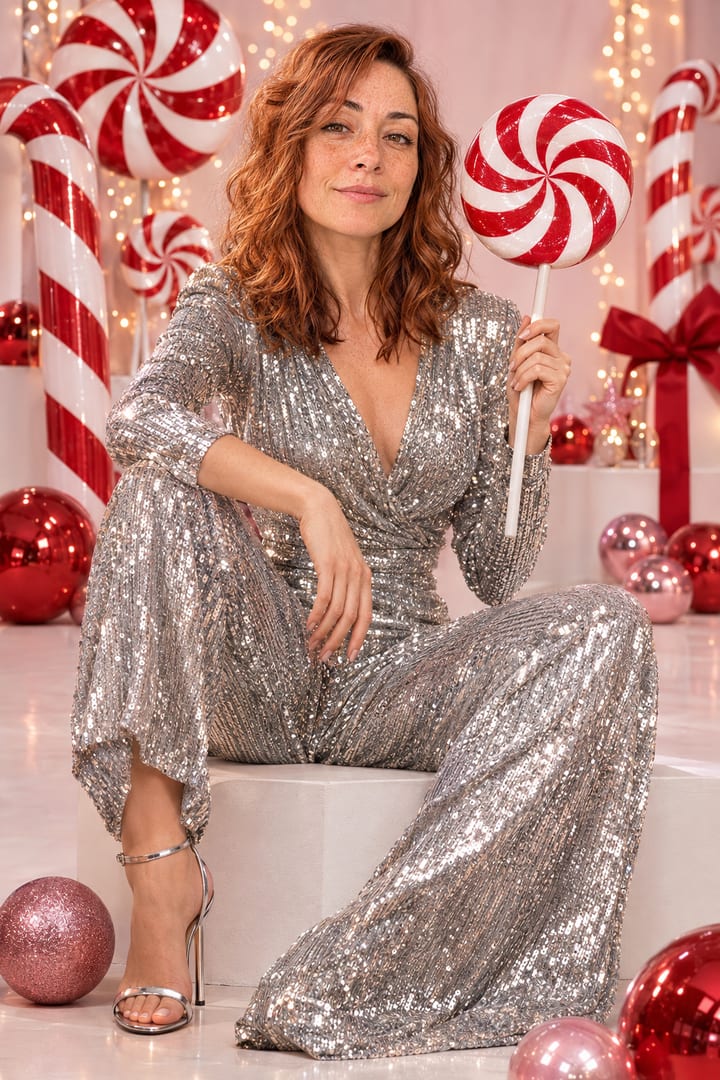
Use my uploaded photo as the exact face reference. Keep my face, skin tone, hair and features exactly the same, and do not change my identity. Create a playful Christmas studio photo of me in a sparkly silver sequin jumpsuit, sitting among giant red and white candy canes and peppermint swirl lollipops, with pink and red ornaments and soft fairy lights. Holding one big peppermint lollipop. Bright, glossy, high-end magazine look.
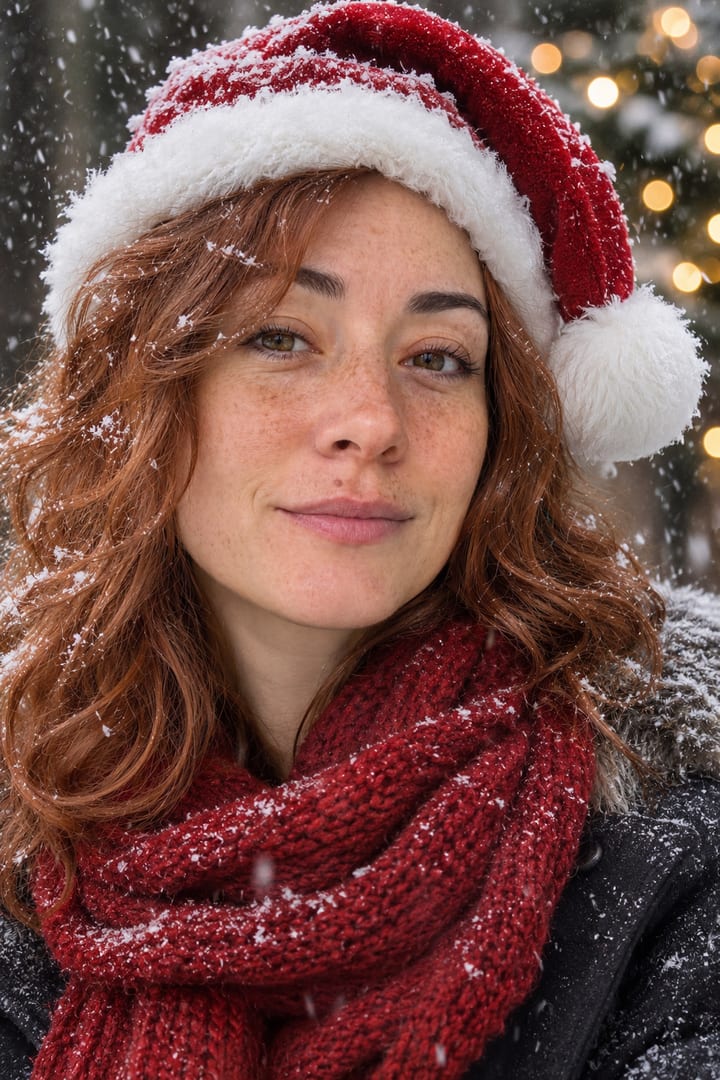
Use my uploaded photo as the exact face reference. Keep my face, skin tone, hair and features exactly the same, and do not change my identity. Create a close-up winter portrait of me outside in falling snow, wearing a red Santa hat with a white pom-pom and a chunky red knit scarf, snowflakes on my hair and lashes, blurred Christmas lights behind me. Natural smile, soft flattering light, realistic photo.
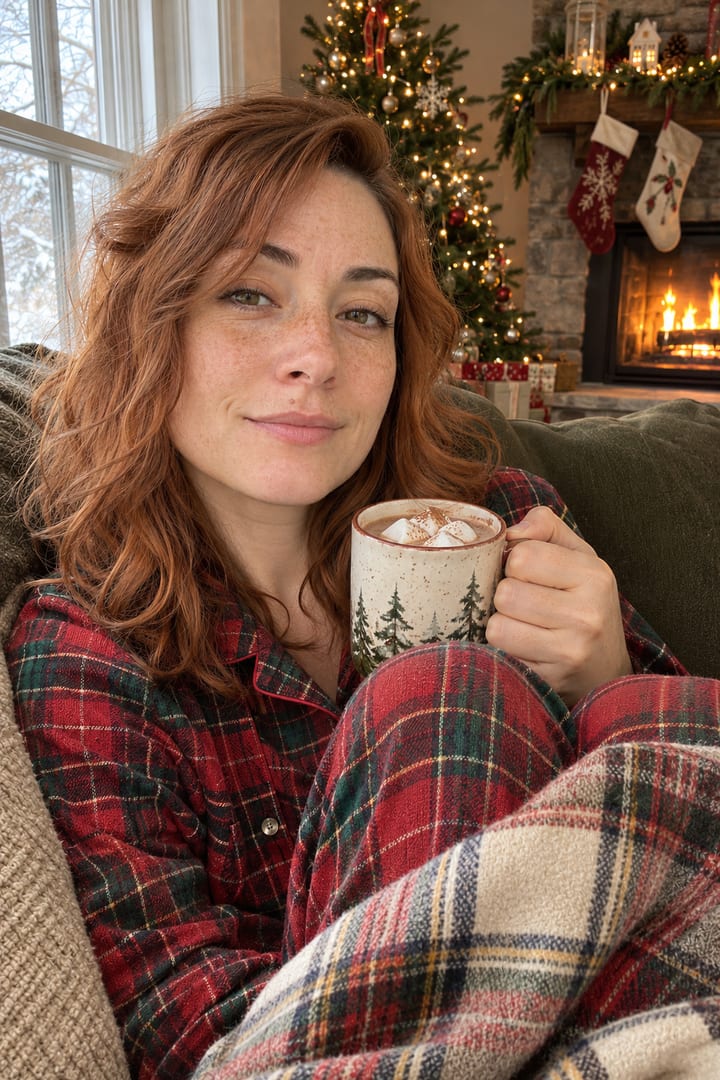
Use my uploaded photo as the exact face reference. Keep my face, skin tone, hair and features exactly the same, and do not change my identity. Create a cozy Christmas morning photo of me in red and green plaid flannel pajamas, curled up on a sofa with a plaid blanket and a mug of hot cocoa with marshmallows, next to a lit fireplace with stockings and a decorated tree. Warm, candid, like a real photo taken at home.
Grinch photoshoot prompt
Last December’s biggest single style: posing with the Grinch in an all-green set. It was also the hardest to get. OpenAI’s safety filter refused our first three tries: a “fuzzy green mini dress” (flagged as sexual), the same shoot in a sweater with the Grinch named (no reason given), and an unnamed green creature (no reason given). The fourth, below, asked for a person in a Grinch costume and went through. If yours is refused, change the outfit first, then describe the Grinch as a costume.
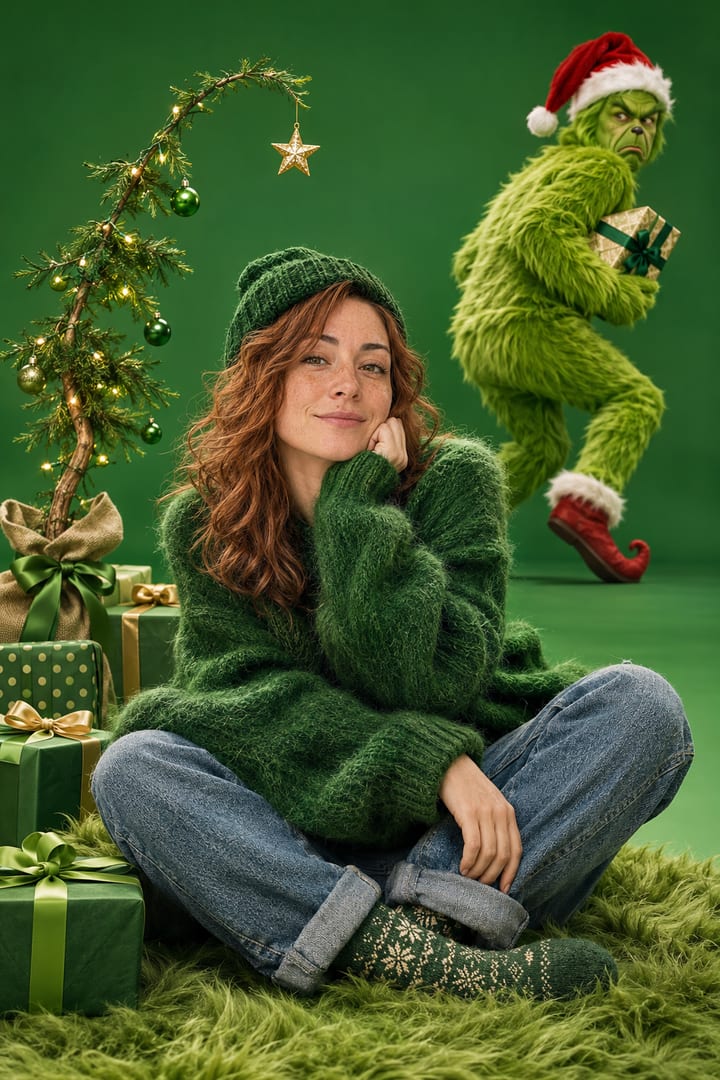
Use my uploaded photo as the exact face reference. Keep my face, skin tone, hair and features exactly the same, and do not change my identity. Create a funny Christmas photoshoot in an all-green studio set: me in a fuzzy green oversized sweater, green knit hat and jeans, sitting on a green fur rug next to a small crooked Christmas tree, while a person in a full furry green Grinch costume stands behind me looking grumpy and sneaking off with a wrapped present. Bright studio lighting, glossy photoshoot look, playful and funny.
Family Christmas photo prompts
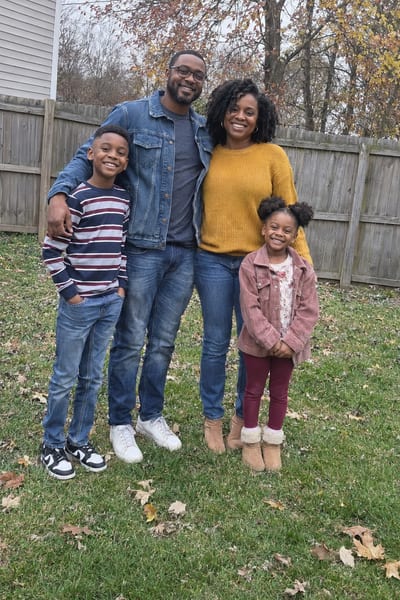
The photo most families actually want: one to send. These started from a casual backyard photo of a family of four in autumn. The rule that matters is in the first lines: keep everyone, exactly as many people as in the photo, with their own faces and skin tones. Christmas TikTok is full of AI family photos that changed someone’s skin tone or added a stranger; spelling the rule out is how you avoid it.
Use my uploaded family photo as the reference. Keep every person in it, exactly as many people as in the photo, with no one added or removed. Keep each face, skin tone, hair, age and height the same. Create our Christmas family photo: all of us in matching red and white Christmas pajamas, sitting together on a white faux-fur rug in front of a big decorated tree and a fireplace, wrapped presents around us. Warm light, everyone smiling, realistic professional family portrait.
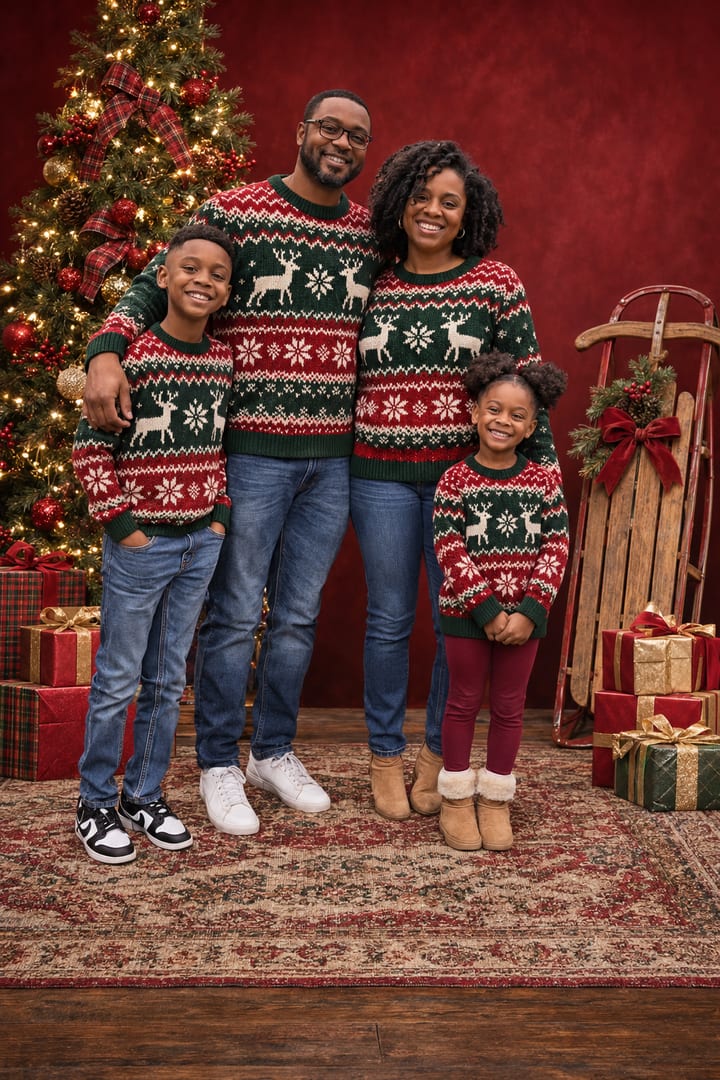
Use my uploaded family photo as the reference. Keep every person in it, exactly as many people as in the photo, with no one added or removed. Keep each face, skin tone, hair, age and height the same. Create a studio Christmas card portrait of our family in matching green and red Christmas sweaters, posed together in front of a deep red backdrop with a lit tree, a vintage sled and stacks of wrapped presents. Professional studio lighting, crisp and realistic.
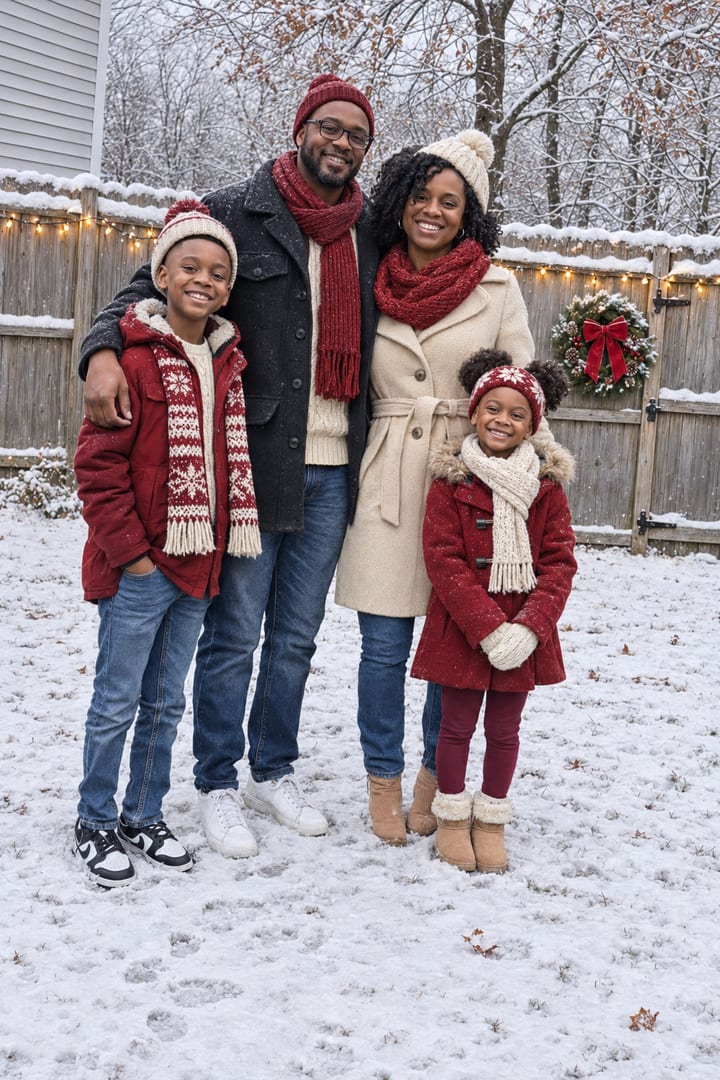
Use my uploaded family photo as the reference. Keep every person in it, exactly as many people as in the photo, with no one added or removed. Keep each face, skin tone, hair, age and height the same. Turn this photo into our Christmas photo. Keep our same pose and positions, but change the season to a snowy Christmas: snow on the ground and fence, winter coats, scarves and knit hats in red and cream, a wreath on the gate and string lights. Realistic, like the same moment on Christmas Day.
Vintage and movie-still prompts
Film grain and old colour are the other big look: a still from a 90s Christmas movie, or a family photo that looks like it came out of a 1955 album.
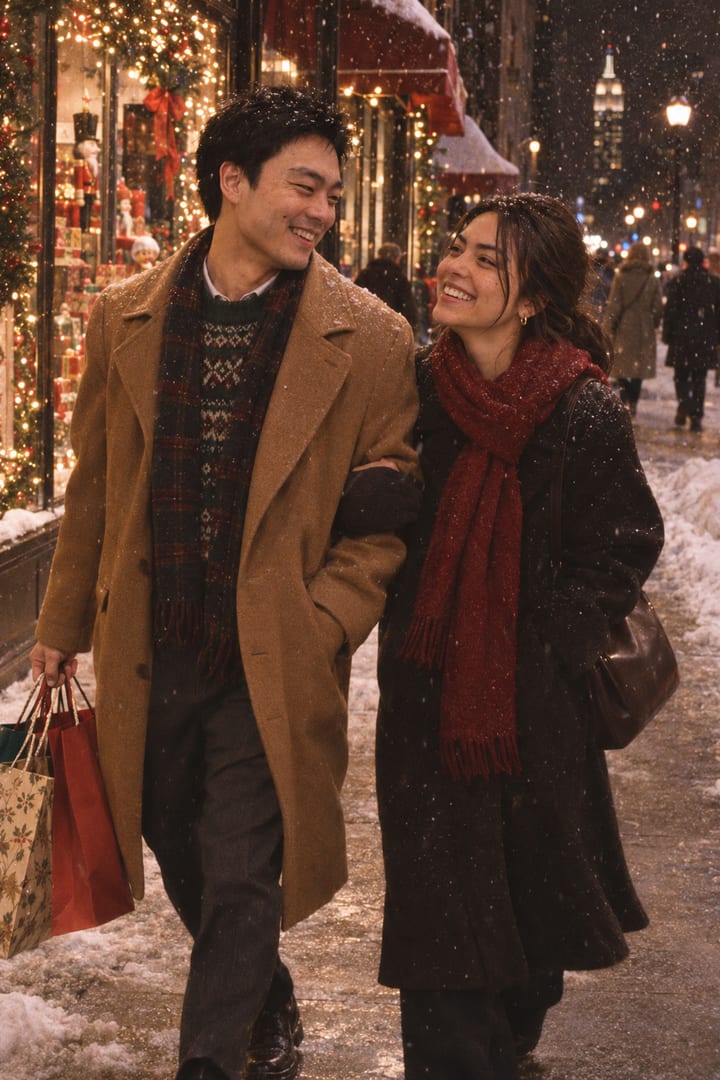
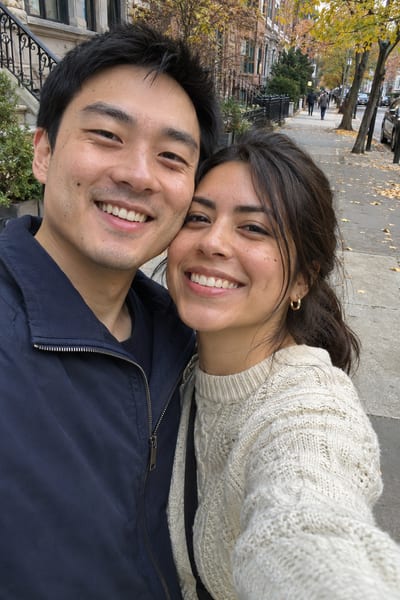
Use our uploaded photo as the exact reference for both of us. Keep both faces, skin tones and hair exactly the same, and do not change who we are. Make us look like a still from a 1990s Christmas romance movie: walking down a snowy New York street at night, him in a camel coat holding shopping bags, me in a long dark coat and red scarf, laughing at each other. Shop windows full of lights, soft film grain, warm 35mm movie colour.
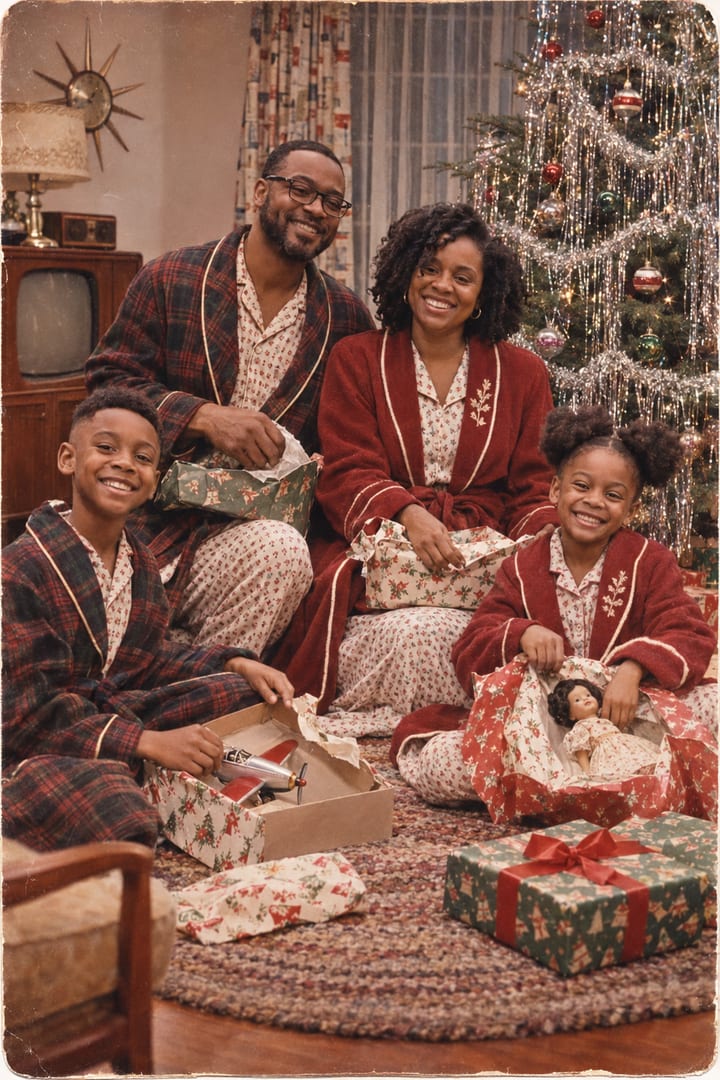
Use my uploaded family photo as the reference. Keep every person in it, exactly as many people as in the photo, with no one added or removed. Keep each face, skin tone, hair, age and height the same. Make our family look like a 1950s Christmas morning photo: matching vintage pajamas and robes, opening presents by a tinsel Christmas tree in a mid-century living room. Kodachrome colours, slight film grain and faded print look, like a real photo from 1955.
Cartoon family prompts
Turn the family into characters, keeping who is who: hair, skin tone, glasses and height. Our first try asked for “characters from a 3D animated movie” and came back as an ordinary photo in a cabin. Saying “not a photo” and describing the look (big eyes, soft rounded features, CG skin and hair) fixed it. The second one is in the style of the Peanuts TV special, which TikTok calls the Charlie Brown Christmas trend.
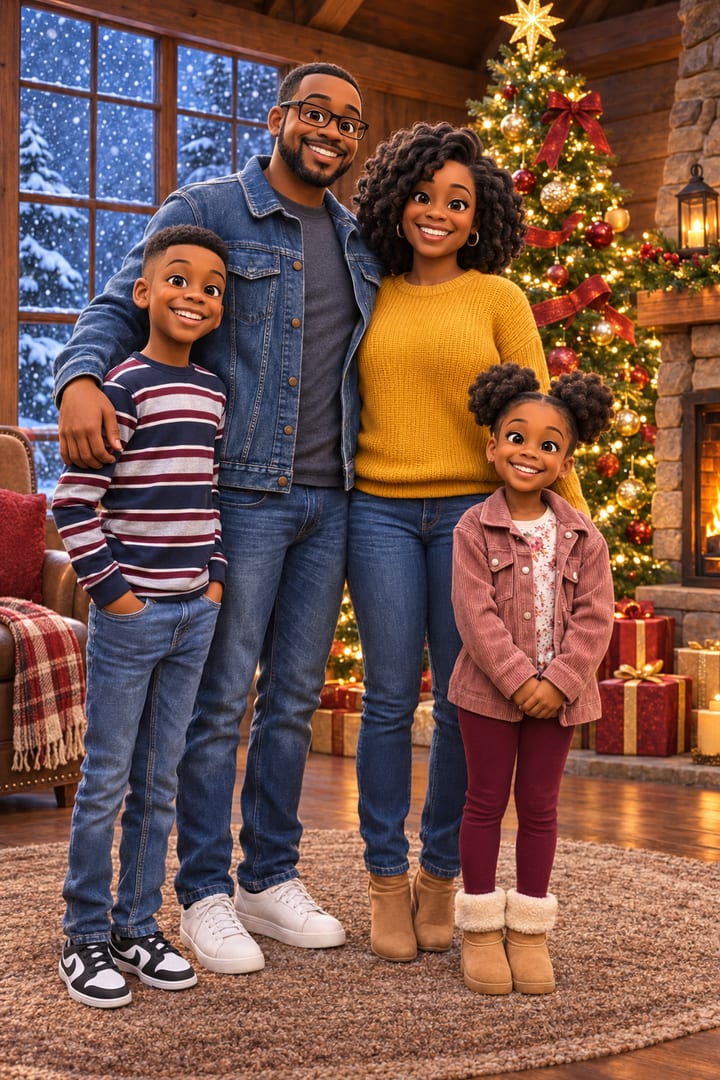
Use my uploaded family photo as the reference. Keep every person in it, exactly as many people as in the photo, with no one added or removed. Keep each face, skin tone, hair, age and height the same. Redraw our family as stylised 3D animated movie characters, not a photo: big expressive eyes, soft rounded features, smooth CG skin and hair, like a still from an animated Christmas film. Keep each person recognisable: same hairstyle, skin tone, glasses, clothing colours and who is taller. We are standing together in front of a glowing Christmas tree in a cozy cabin with snow outside the window, warm cinematic lighting.
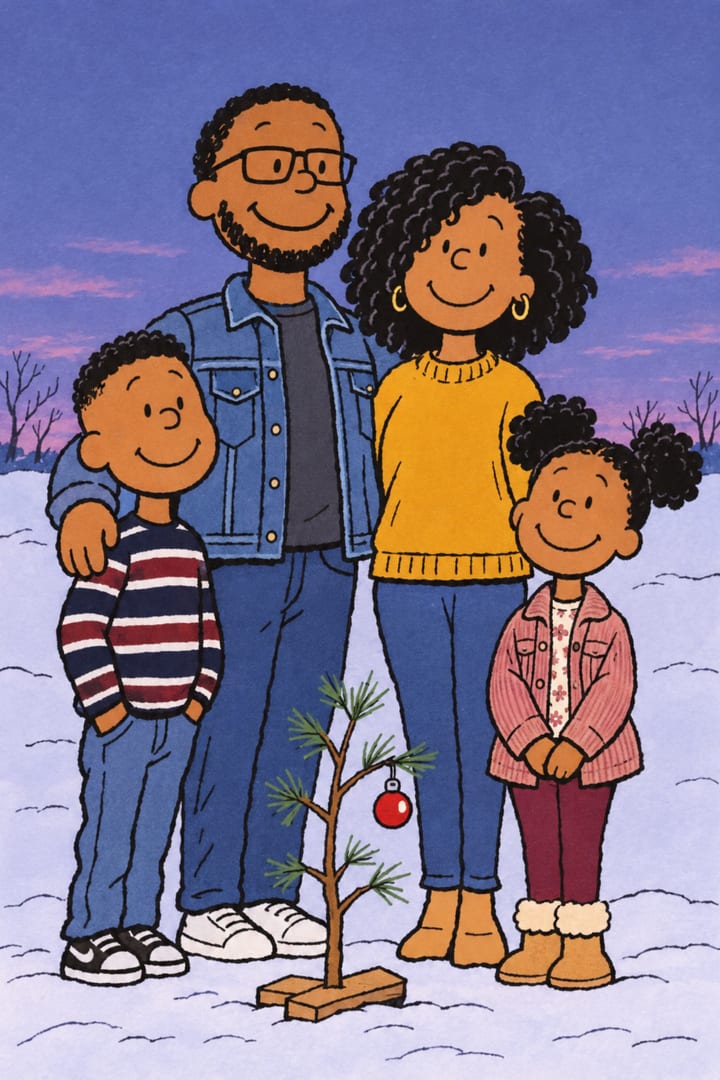
Use my uploaded family photo as the reference. Keep every person in it, exactly as many people as in the photo, with no one added or removed. Keep each face, skin tone, hair, age and height the same. Draw our family in the hand-drawn style of A Charlie Brown Christmas (the Peanuts TV special): simple round heads, thin lines, flat colours, standing around a small sparse Christmas tree with one red ornament in a snowy field at dusk. Keep each person recognisable: hair, skin tone, glasses and clothing colours.
Santa caught on camera
Parents use this one for the kids: Santa added to a photo of your own living room, as if the home security camera caught him on Christmas Eve. Upload a photo of the room, not of a person.
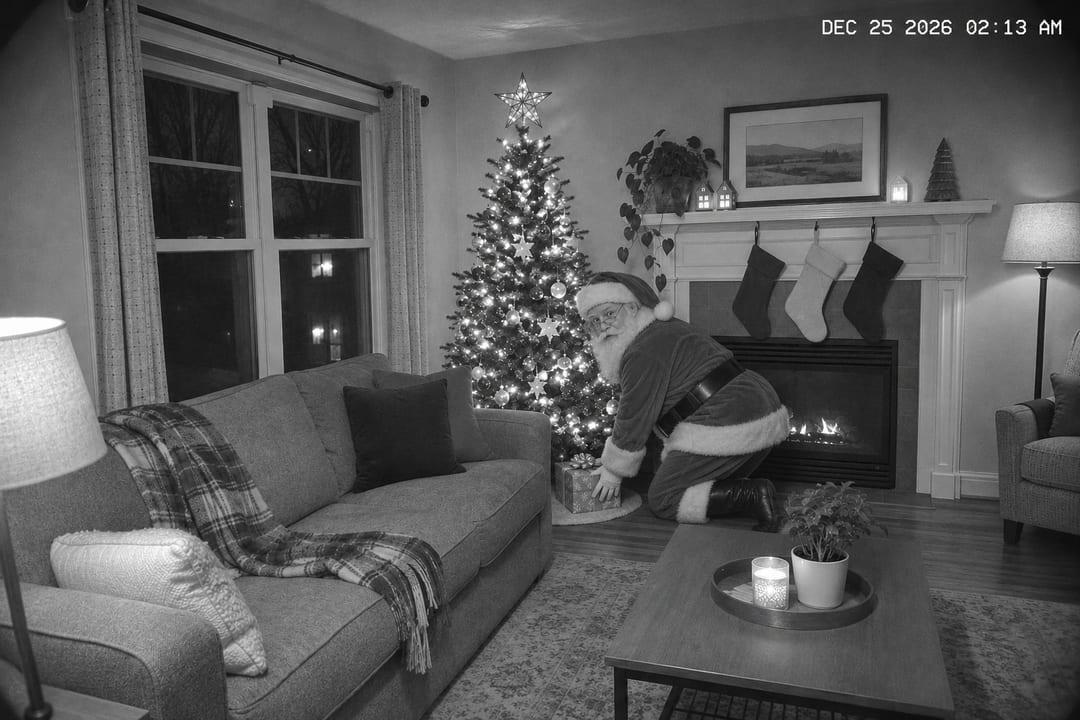
Add a photorealistic Santa Claus into my living room photo as if he was caught on our home security camera on Christmas Eve: he is kneeling by the tree placing a wrapped present, looking back over his shoulder. Make it look like a night-vision security camera still: slight black-and-white grain, a timestamp in the corner reading DEC 25 2026 02:13 AM, a wide-angle lens. Keep my room exactly the same.
Christmas photo prompts for couples
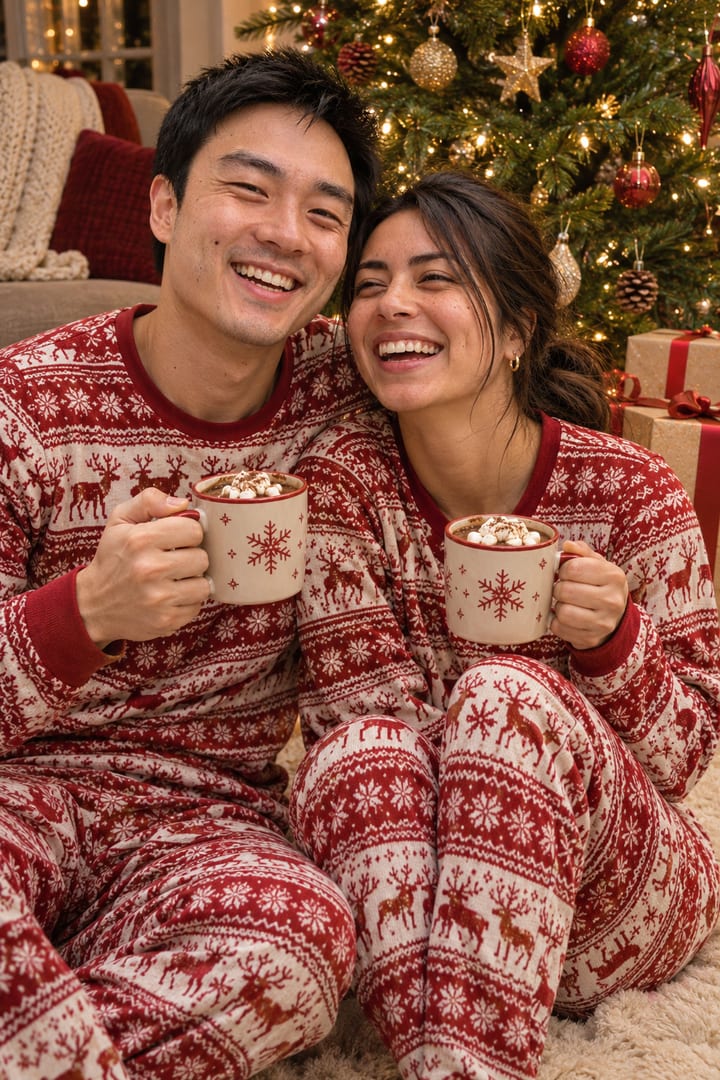
Use our uploaded photo as the exact reference for both of us. Keep both faces, skin tones and hair exactly the same, and do not change who we are. Create a cozy Christmas photo of us in matching red and white Christmas pajamas, sitting on the floor in front of a decorated tree, holding matching mugs of hot cocoa and laughing. Warm fairy lights, realistic, candid.
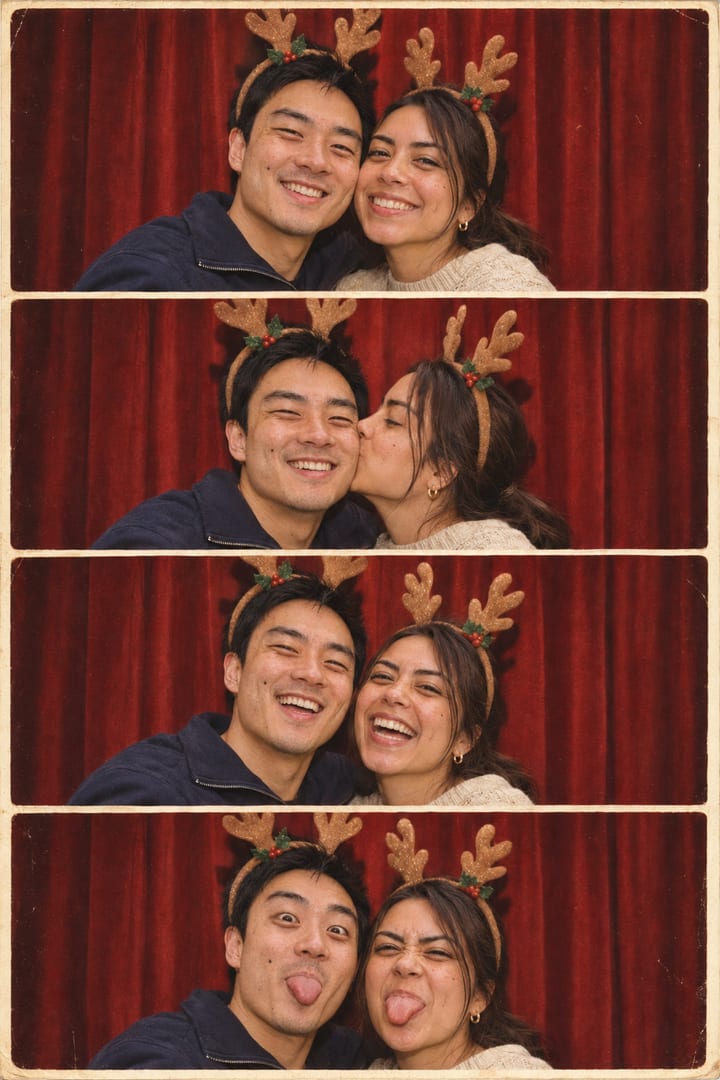
Use our uploaded photo as the exact reference for both of us. Keep both faces, skin tones and hair exactly the same, and do not change who we are. Create a vintage photo booth strip of us at Christmas: four frames stacked vertically, both of us wearing reindeer antler headbands, making different poses (smiling, kissing on the cheek, laughing, silly faces), with a red backdrop. Real film photo booth look.
Christmas photo prompts for pets
For pets, describe the markings you want kept. Short text on a tag or a sign comes out right if you put it in the prompt and ask for it to be spelled exactly.
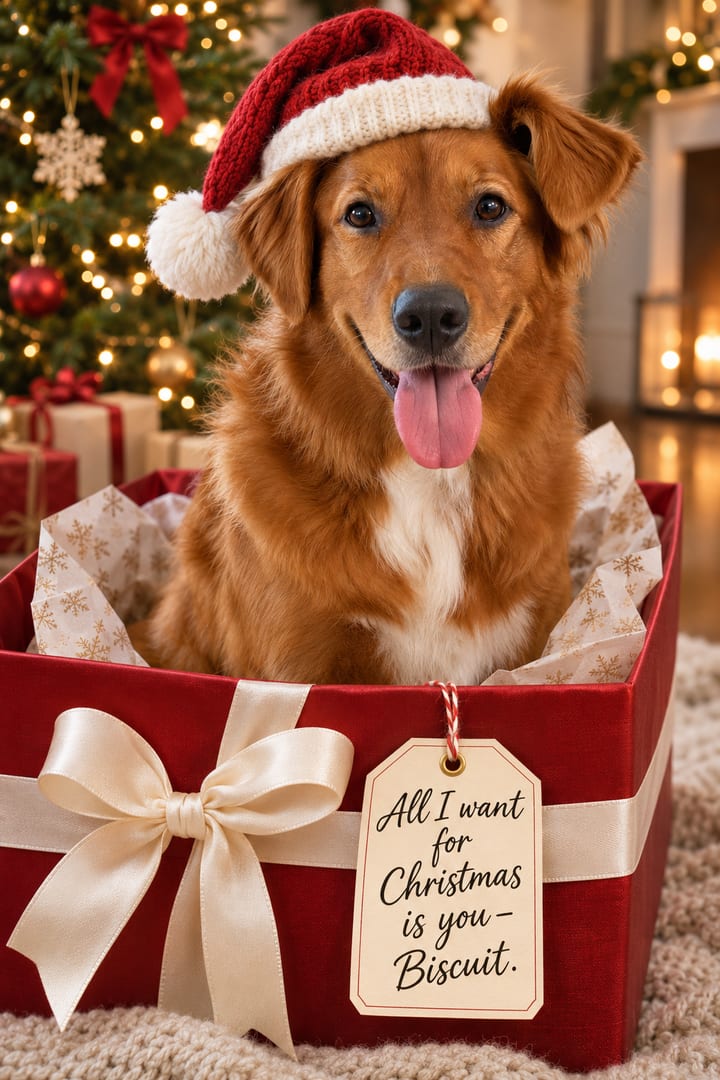
Use my uploaded photo of my dog as the exact reference. Keep the same breed, coat colour, markings and ear shape. Create a cute Christmas card photo of my dog wearing a red knit Santa hat, sitting inside an open red gift box with a white bow, Christmas tree and lights behind. Add a small handwritten-style tag hanging from the box that says: All I want for Christmas is you – Biscuit. Spell the text exactly.
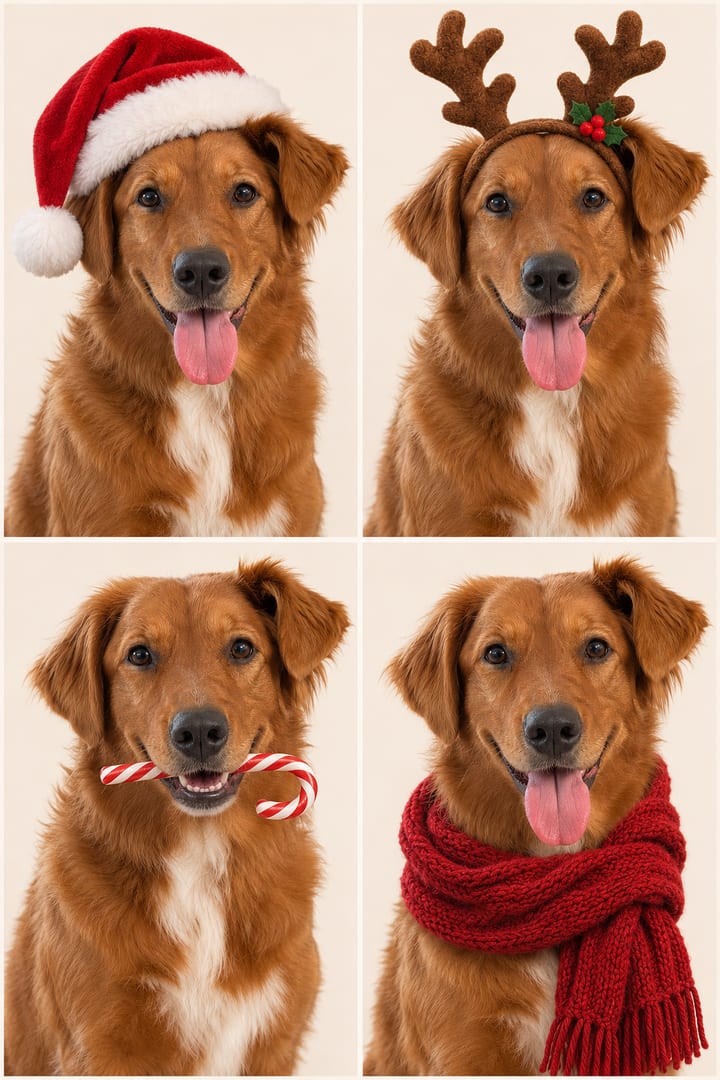
Use my uploaded photo of my dog as the exact reference. Keep the same breed, coat colour, markings and ear shape. Create a 2 by 2 grid of four Christmas studio portraits of my dog on a plain cream background: 1) wearing a Santa hat, 2) wearing reindeer antlers, 3) holding a candy cane in its mouth, 4) wrapped in a red knit scarf. Same dog in all four, soft studio light.
When ChatGPT gets it wrong
- The face changed. Reply “my face changed, keep it exactly like my photo” in the same chat. A larger, sharper face in the upload helps more than any wording.
- Someone was added or left out. Say how many people there should be and who is missing: “there should be four of us; the little girl is missing”.
- Skin tone or age changed. Name the person and the fix: “keep the dad’s skin tone exactly as in the photo”.
- It refused. Change the outfit first (a gown, a sweater or pajamas instead of anything short or tight), then remove anything that names a real celebrity.
- The text is wrong. Keep it short, put it in the prompt word for word, and add “spell the text exactly”.
Make it a card
A photo is half a Christmas card. Our Christmas card generator puts it on a card with a greeting in script, your family name and the year, that opens out of an envelope with snow and twinkling lights. Save it as a video to send by text or WhatsApp, or as a PNG to print at 5 by 7 inches. It’s free, there’s no watermark, and your photo never leaves your device.
Questions
How do I make an AI Christmas photo in ChatGPT?+
Open ChatGPT, upload a clear photo of yourself or your family (the + button, or drag it in), paste one of the prompts below and send. Ask for changes in the same chat, for example 'same photo, but in a snowy forest'. Free accounts can make images too, with a lower daily limit than paid plans.
How do I keep my face the same?+
Say so first: 'Use my uploaded photo as the exact face reference. Keep my face, skin tone, hair and features exactly the same, and do not change my identity.' Use a sharp, well-lit photo where your face is large. If it still drifts, reply 'my face changed, keep it exactly like the photo' and it will redo it.
Why did ChatGPT change my family's skin tone or add a person?+
Group photos are hard for image models, and Christmas posts are full of AI family photos with a stranger added or skin tones changed. Name the rule in the prompt: keep every person, exactly as many as in the photo, with the same faces, skin tones, ages and heights. If one person is wrong, say which one and what to fix.
Why did ChatGPT refuse my Christmas photo?+
OpenAI checks every image before you see it, and the check is not always predictable. A short or tight outfit is the most common trigger: our 'fuzzy green mini dress' was blocked as sexual. Describe a sweater, a gown or pajamas instead, and if it is still refused, send it again or reword the scene. Anything that names a real public figure is likely to be refused.
Can I put the Grinch or Santa in my photo?+
Usually. Our Grinch shoot went through when it asked for a person in a Grinch costume, after three refused tries, and Santa can be added to a photo of your own living room so it looks like a home camera caught him. The Grinch belongs to Dr. Seuss Enterprises; making a picture for yourself is fine, selling it is another matter.
Do these prompts work in Gemini too?+
They are written in plain words, so they work in any image tool that takes a photo, including Gemini. We tested them with OpenAI's image generator, so the examples here show what OpenAI makes; other models will look a little different.
How do I turn the photo into a Christmas card?+
Download it from ChatGPT, then open our free Christmas card generator, add the photo, a greeting and your family name. It makes a card that opens out of an envelope with snow and lights, as a video or GIF to send, or a PNG to print at 5 by 7 inches.