Images · Tool 52 · Animated card · Free · No signup
Christmas card generator.
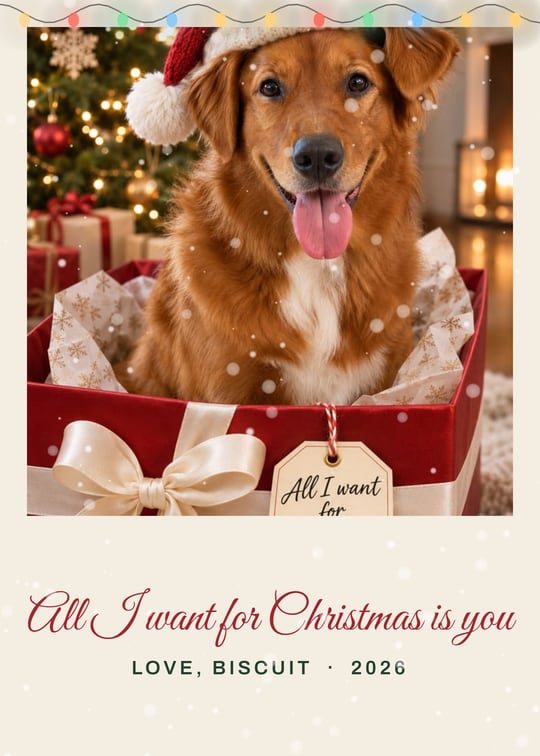
Your photos, a greeting and your family name, on a card that opens out of an envelope with snow falling and lights twinkling. Save a video or a GIF to send from your phone, or a PNG to print. Free, no watermark, nothing uploaded.
01 Photos
Showing sample photos. Add one of your own, or drop them on the page. They stay on your device.
02 Words
03 Look
04 Save
A 7 second video that opens from the envelope, the best quality to send from a phone.
Made with this tool
How to make a Christmas card from your photos
Most people this year will send their Christmas card as a message, not in the mail. A card that opens out of an envelope on the phone feels like post, and a short video plays in every chat app. Keep the greeting short so the script stays large, and put the photo where faces are clear: the card crops photos to fill their spot and keeps the upper part, where faces usually are.
- Choose your photos or drop them on the page, then pick a layout: one photo, three photos, or a year in review with six.
- Pick a greeting or type your own, and write your family name and the year.
- Choose the colours, and whether the card opens from an envelope, with snow and string lights.
- Pick Phone 9:16 to send it, or Print 5×7 to print it.
- Press Export MP4 or Make GIF for the moving card, or Save PNG for a still, and send it.
Related
- ChatGPT Christmas photo promptsThe prompts behind the sample photos, to make your own family photo first.
- Snow overlayFalling snow on any photo or video, as a transparent PNG or a GIF.
- Image to GIFSeveral photos into one GIF that flips through them.
- Text animation generatorA moving greeting on its own, in eight styles.
Questions
How do I make a Christmas card from my own photo?+
Choose your photos, or drop them on the page. Pick a layout (one photo, three photos, or a year in review with six), a greeting, your family name and the year, then a colour scheme. Press Export MP4 for a card that opens from an envelope, Make GIF for a smaller file, or Save PNG for a still to print. Your photos stay on your device and are never uploaded.
Can I send it by text or WhatsApp?+
Yes, that is what the moving version is for. The MP4 is a 7 second, 1080 by 1920 video that plays in Messages, WhatsApp, Instagram and Facebook Stories, and email. A GIF is smaller and plays in nearly every chat app, at 480 pixels on the long side. Some apps play a GIF only once or as a still until tapped.
Can I print it?+
Yes. Pick Print 5×7 and Save PNG: you get 1500 by 2100 pixels, a 5 by 7 inch card at 300 dpi, which any photo counter or online print service takes. The still is the open card with the snow and lights as they are on screen, so pause the preview on the frame you like first.
Is it really free? Is there a watermark?+
Free, with no account and no watermark, and nothing is added to the card that you did not put there. It runs in your browser, so there is no server cost to pass on. We receive only a count that an export happened, with the layout, the colours and the format.
What are the sample photos?+
AI Christmas photos we made from ordinary snapshots of people who do not exist, using the prompts in our ChatGPT Christmas photo guide. They show how the layouts look until you add your own. If you want photos like them of your family, the guide has the exact prompts to paste into ChatGPT.
Why does the envelope open?+
That is the digital Christmas card people sell as templates on TikTok and Etsy: a card in an envelope that opens on the phone, with the photo, a greeting in script and the family name. Here it is free and takes a minute. Switch Envelope opens off for a card that simply holds, with the snow and lights looping without a jump.
Can I write my own greeting?+
Yes. Pick one of the six common ones or type your own in Your own, up to 40 characters, and it is set in the same script. The From line takes your name or family name, and the year can be any short text, such as 2026 or Est. 2019.