Images · Tool 54 · Phone, iPad, desktop · Free · No signup
Christmas wallpaper.
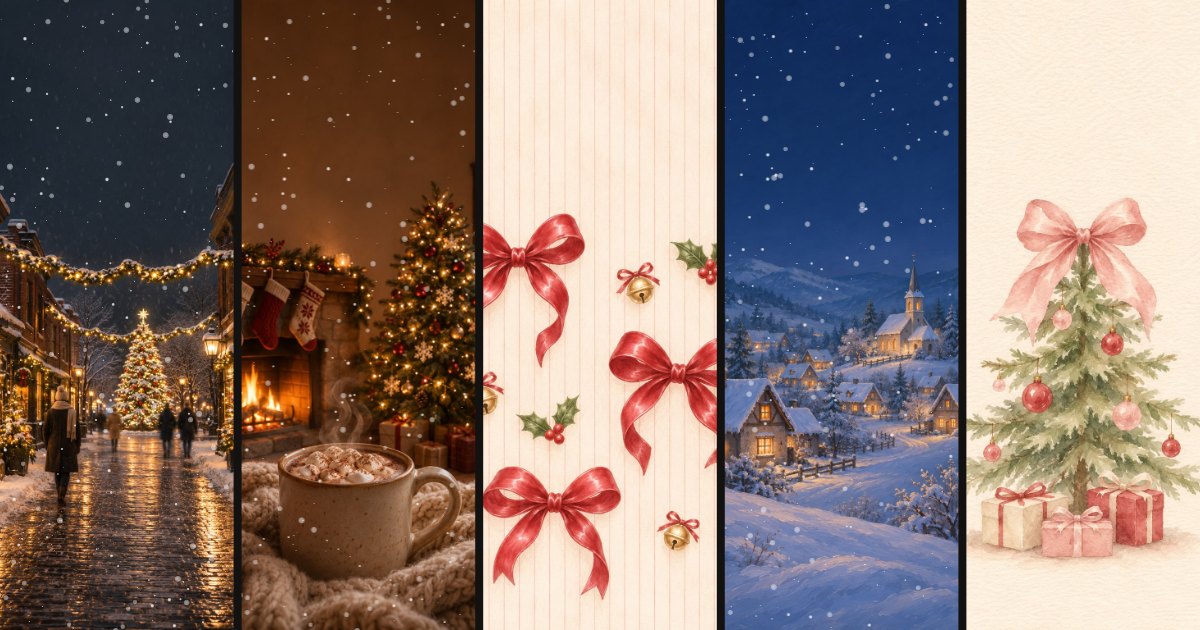
Thirteen Christmas wallpapers, from cozy firelight and snowy streets to red bows and candy cane stripes, each sized for a phone, an iPad and a desktop. Add falling snow, then save a PNG or a live wallpaper that loops. Or use your own photo.
01 Wallpaper
The clock shows where your lock screen puts it. It is not in the file.
02 Snow
Snow shows best on the darker pictures. On a pale one, try Crystals or less of it.
03 Save
Sized for a phone screen, with the snow as it is on screen now. Pause on the frame you like.
Made with this tool
How to make a Christmas wallpaper
Two things decide whether a wallpaper works on a lock screen. The top quarter has to stay calm, because the clock and the date sit there, so every picture here keeps its busiest part low. And falling snow needs a dark picture to show: on City lights, Cozy night or Snowy village it reads at once, while on the pale ones, like Red bows or Candy cane, use Crystals or leave the snow off.
- Pick a wallpaper, or choose your own photo.
- Pick the size under the preview: Phone, iPad or Desktop.
- Set the snow: Soft or Crystals, how much, and which way the wind blows. Or None.
- Press Save PNG for a still wallpaper, or choose Live (MP4) for a looping video with the snow falling.
- On your phone, save the picture to Photos or Gallery and set it as the lock screen or home screen.
Related
- Snow overlayThe same snow on its own: a transparent PNG, a GIF or an MP4 on black to lay over anything.
- Christmas card generatorYour photos on a card that opens from an envelope, to send or print.
- AI Christmas photoAn everyday photo of you, turned into a Christmas photo in 18 looks.
- ChatGPT Christmas photo promptsMake your own Christmas pictures in ChatGPT, with the prompts we used.
Questions
How do I set it as my iPhone wallpaper?+
Save the PNG, open it, tap Share and choose Save Image so it is in Photos. Then touch and hold the lock screen, tap the plus button to add a new wallpaper, choose Photos and pick it. The phone size here is 1080 by 2340, which fills an iPhone screen edge to edge; the preview shows where the clock will sit so you can pick a picture that keeps it clear.
How do I set it on Android?+
Save the PNG, open it in Gallery or Google Photos, open the menu and choose Set as wallpaper, then lock screen, home screen or both. The wording differs a little between phone makers, but every Android phone has it. 1080 by 2340 fits most Android screens; a phone with a different shape crops the edges slightly.
How do I get a live wallpaper with falling snow?+
Choose a picture, leave the snow on, pick Live (MP4) and export. You get a seamless 5 or 10 second loop. Some Android phones, Samsung among them, can set a short video as the lock screen straight from the Gallery; others need a free live wallpaper app. iPhone does not take a video as a wallpaper: turn the MP4 into a Live Photo with an app such as intoLive, then choose it in the wallpaper settings, and on recent iOS it plays when you wake the phone.
Which sizes are there?+
Phone, 1080 by 2340; iPad, 1536 by 2048 in portrait; and desktop, 1920 by 1080 for a laptop or monitor. Every picture comes in a tall version for phones and tablets and a wide one for desktops, drawn separately, not stretched. A 4K desktop size is not here yet.
Where do the pictures come from?+
We made them with an AI image model, in the Christmas styles people save most on Pinterest and post on TikTok this season: red bows, cozy nights by the fire, snowy streets and villages, candy cane stripes, gingerbread, pink and brown Christmas, and a vintage postcard. They show no real people, brands or film characters. The falling snow is drawn live in your browser.
Can I use my own photo?+
Yes. Choose a photo or drop it on the page and it becomes the wallpaper, cropped from the middle to the size you pick, with the snow over it if you want. It stays on your device and is never uploaded.
Is it free?+
Free, with no account and no watermark, and you can use the wallpapers and the videos anywhere, including your own posts and videos, with no credit. We receive only a count that a download happened, with the picture, the size and the format.