Images · Tool 84 · Christmas · Free · No signup
Ugly sweater maker.
Design an ugly Christmas sweater stitch by stitch: pick the colours, a band of reindeer, trees or snowflakes, a big motif and your words on the chest, or knit any square by hand. Save a transparent PNG, or print a blank sweater template to colour in.
01 Your sweater
Transparent PNG, 2000 × 1680, sweater only. Made on this device.
02 Words on the chest
Two lines of up to 8 letters, knitted in 5 × 7 stitch letters. Type <3 for a heart.
03 Pattern · Classic red
04 Knit by hand
Every square is one stitch. Knit your initials, a beard on the reindeer, or a pattern of your own; the bands and words stay under it.
05 Print
A whole page at 300 dpi with a name line. Print at 100% (Actual size). The blank one is for a contest, a party table or a class.
Made with this tool
How to design an ugly Christmas sweater
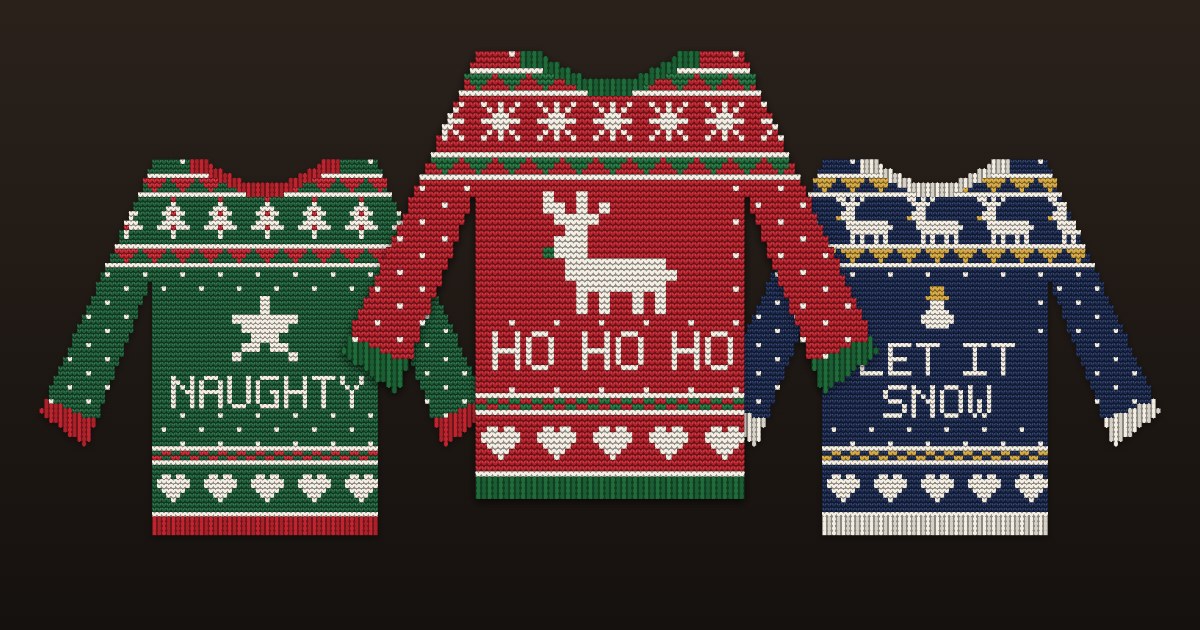
The ugly Christmas sweater look is old Fair Isle knitting turned up too loud: horizontal bands of small repeating motifs (snowflakes, trees, reindeer, hearts) between zigzag and checked borders, a big picture on the chest, and a word nobody would knit on purpose. Because it is knitting, everything sits on a grid of stitches, which is why the pictures look pixelated. This maker builds the sweater the same way, row by row, so what you see is a chart you could actually knit.
For a contest, simple and bold wins from across a room: two strong colours, one big motif, one short word. For the classroom version, print the blank sweater with the stitch grid and let everyone design their own; the squares make it easy to copy a motif from the screen.
- Type a word or a name for the chest, up to two lines of eight letters.
- Pick the colours, the band of motifs that runs across the sweater and sleeves, and the big motif on the chest.
- Press Start knitting to change single stitches with a tap or a drag.
- Press Save PNG for a transparent picture, or print the sweater or a blank one to colour in as a PDF.
Related
Questions
What can I do with the sweater I make?+
Save it as a transparent PNG and put it anywhere a picture goes: a party invitation, a Christmas card, a group chat, a profile picture for December, a slide for an office contest. It is 2000 by 1680 pixels with nothing behind the sweater, so it sits on any background. If you want it on paper, print it from the Print section with a name line under it.
Is there a blank ugly sweater template to print?+
Yes. In Print, choose Blank to colour in: you get a sweater outline on US Letter or A4, either with a grid where every square is one stitch, or as an outline only. The grid version is good for kids and classrooms, because they can colour a pattern square by square the way it would be knitted. The outline version is for drawing freely, glitter and pom-poms included.
Can I knit this design for real?+
The preview is a real chart: 96 stitches across including the sleeves, 48 across the body, 80 rows, every square one stitch in one colour, built the way stranded colourwork sweaters are, with bands of motifs between borders. Save the PNG and count the squares as you would any knitting chart. Your gauge decides the size, and the sleeves on a real pattern are shaped separately, so treat it as the colour chart, not a sewing pattern.
Can I put a name or a funny phrase on it?+
Up to two lines of eight letters each, knitted in 5 by 7 stitch letters across the chest: HO HO HO, NAUGHTY, a name, a year. Letters, numbers and ! ? & - . are in the alphabet; type <3 for a heart. Longer words do not fit across the chest at this stitch size, which is true of a real sweater too.
Can I change single stitches?+
Press Start knitting, pick a yarn (background, pattern, accent or snow) and tap or drag over the sweater. Every square you touch becomes that colour, on top of the bands and words. Undo removes all your hand stitches at once. On a phone, scrolling is paused over the sweater while you knit, so drag freely.
When is Ugly Sweater Day?+
National Ugly Christmas Sweater Day falls on the third Friday of December, which is December 18 in 2026. Offices and schools often hold their contest that day or the last working day before the holidays, so a printed blank template for a class or a team works best handed out a week or two ahead.
Is it free?+
Yes, with no signup and no watermark. The sweater is drawn on your device; nothing is uploaded, and you can print as many blank templates as your class or office needs.