GIFs · Tool 75 · Discord · Free · No signup
Discord GIF maker.
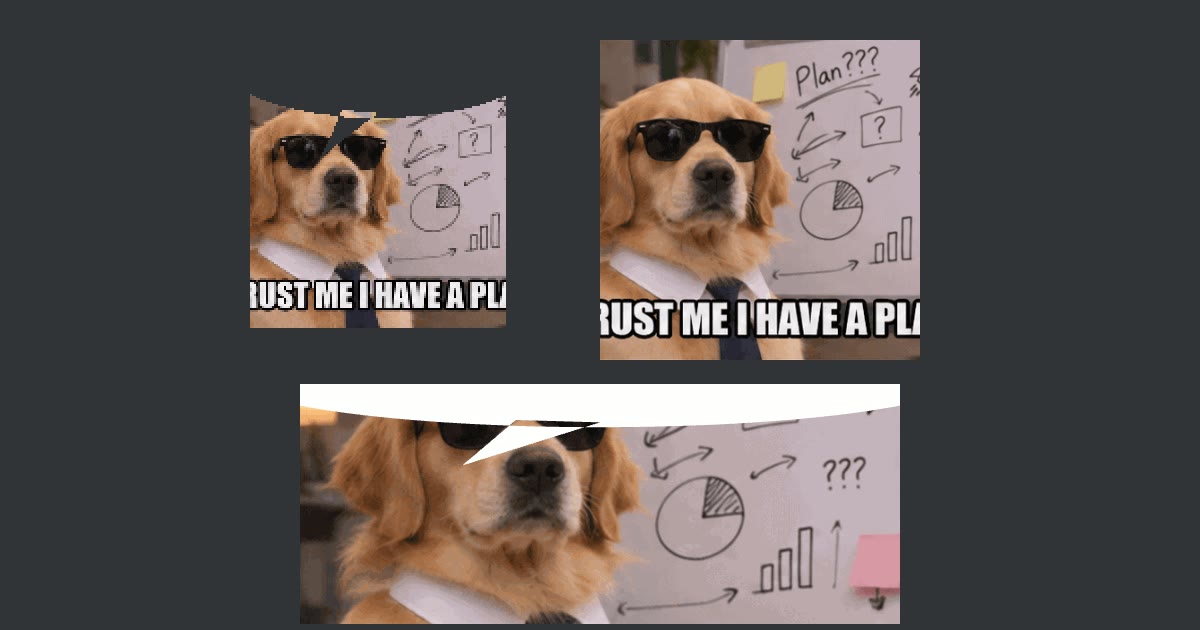
Turn any GIF, picture or short video into a GIF Discord takes the first time: a 128 × 128 emoji under 256 KB, a 320 × 320 sticker under 512 KB, or a 5:2 profile banner. Crop or fit it, add the speech bubble if you like, and nothing uploads.
A video is read from its start, 5 seconds at 15 frames a second. Nothing uploads.
Made with this tool
How to make a Discord GIF
- Drop a GIF, a picture or a video anywhere on the page, or press Try a sample GIF.
- Pick Emoji, Sticker or Profile banner.
- Choose Crop to fill or Fit, and a speech bubble if you want one.
- Press Make the GIF, and download it.
- In Discord, upload it under Server Settings, Emoji or Stickers (or your profile for a banner).
Related
Questions
How do I make a GIF for Discord?+
Drop a GIF, a picture or a short video on this page and pick what it is for: Emoji, Sticker or Profile banner. It is cropped to Discord's shape at once, and the preview plays on Discord's dark grey. Press Make the GIF: it is written at the right size and squeezed under Discord's file limit, and you download it ready to upload.
What size does a Discord emoji GIF have to be?+
Discord's developer documentation gives a 256 KB limit for emoji and animated emoji, and 128 × 128 pixels as the emoji image. A bigger picture is shrunk on upload, but a file over 256 KB is refused, which is why GIFs fail to upload as emoji. This tool writes 128 × 128 and keeps the file under the limit, cutting colors or frames only as far as it has to.
What about Discord stickers?+
Stickers are exactly 320 × 320, at most 512 KB, and an animated sticker can run 5 seconds at most, per Discord's own pages; GIF is accepted alongside PNG and APNG. Pick Sticker and the GIF is cut to its first 5 seconds and written at 320 × 320 under 512 KB.
How do I make an animated Discord banner?+
Pick Profile banner: the GIF is cropped to 5:2 at 600 × 240, the size most guides give for the profile banner. Showing an animated banner on your profile needs Nitro. Server banners are a different shape and need a boosted server.
What is the speech bubble?+
A reaction meme: a speech bubble over the top of a GIF or picture, its tail pointing down, as if someone in it is talking, posted as a reply. Choose White for a white bubble, or Cut out to make the bubble see-through so it takes on Discord's own background, like the originals.
Can I turn a video or a picture into a Discord GIF?+
Yes. A video is read from its start, 5 seconds at 15 frames a second, then made into the GIF like any other. A still picture makes a one-frame GIF, which suits an emoji with a speech bubble. For a different part of a video, trim it first or use the video to GIF tool, then bring the GIF here.
Is anything uploaded?+
No. The file is read and the GIF written on your own device; nothing is sent to us or to Discord. This is not made by or connected with Discord.