Effects · Tool 88 · Copy and paste · Free
Invisible text.
Copy a blank character for an empty name, an empty message or a line break in a caption. Five kinds of blank, what each one is for, and a checker that shows the invisible characters hidden in any text.
01 Copy a blank character
The big button copies the Hangul filler, U+3164, the blank most apps accept. If an app rejects it or shows a box, try the others below.
02 5 kinds of blank · what each is for
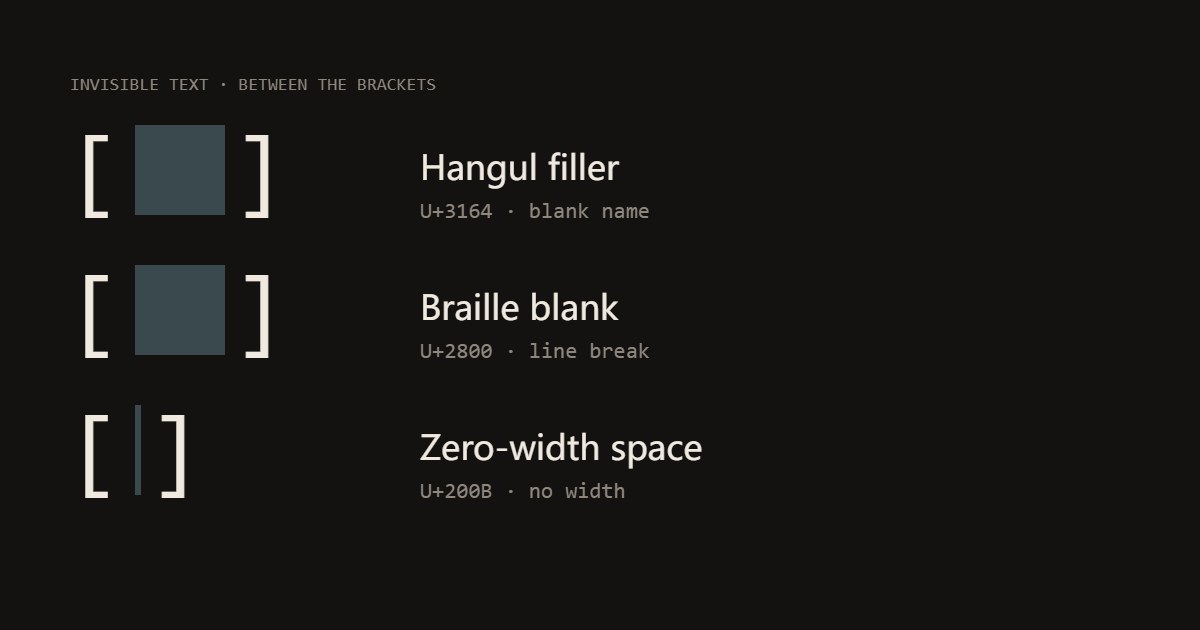
Hangul filler U+3164
The usual one for a blank name or an empty message. It is a full-width character that draws nothing, so apps that refuse an empty field often accept it.
Braille blank U+2800
A blank Braille cell, about as wide as a letter. Put one on an otherwise empty line to keep a line break in a caption or a bio where plain empty lines get removed.
Zero-width space U+200B
Takes up no room at all. Useful to stop a word from turning into a link or a mention, or to split a word where a line may break. Many apps strip it from names.
No-break space U+00A0
Looks like a normal space but keeps the words on each side together and is not trimmed by some apps that trim plain spaces.
Em space U+2003
A wide space, as wide as the letter M, for indenting a line or spacing out words where repeated spaces collapse into one.
03 Find hidden characters
Works for blanks you copied here and for ones hidden in text someone sent you.
Made with this tool
How to copy invisible text
The space bar is not enough because apps tidy up: they trim spaces from the ends of a name, collapse repeated spaces into one, and drop empty lines from a caption. The characters here survive that tidying because, to the app, they are not spaces at all: one is a Korean filler letter, one a blank Braille cell, one a space with no width.
That is also why results differ between apps. Each one decides which characters it allows in a name and which it strips, and those rules change. Paste, check how it looks, and keep the checker below in mind when a blank character ends up somewhere you did not want it.
- Press Copy invisible text for the most widely accepted blank, or pick 3 or 10 characters first.
- Paste it into the name, message or caption field.
- If the app rejects it or shows a box, copy another kind of blank from the list.
Related
Questions
What is invisible text?+
A character that takes up space, or none, but draws nothing. The space bar makes one too, but many apps trim spaces or refuse a name that is only spaces. Unicode has other blank characters that apps treat as real letters: the Hangul filler (U+3164), the blank Braille cell (U+2800) and a few more. Copy one and paste it where you want something that looks empty.
Which one should I use for a blank name?+
Start with the big button, the Hangul filler: it is the one most people use for an empty display name or nickname, in games and chat apps. If an app rejects it, try the Braille blank. Apps change their rules, and some block blank names on purpose, so there is no character that works everywhere; check it in the app before you save.
How do I add line breaks or spaces in an Instagram caption or bio?+
Apps that remove empty lines leave a line alone if it has something on it. Put a single Braille blank (U+2800) on each empty line: copy it here, and paste it on its own line between your paragraphs. For a wider gap inside a line, the Em space keeps its width where repeated spaces would collapse into one.
Can I send an empty message?+
Many chat apps will not send a message that is only spaces, but will send one Hangul filler or Braille blank, which arrives looking empty. Whether it is allowed is up to the app.
What does the hidden-character checker do?+
Paste any text into it and every invisible character is shown as its code, like [U+200B]. It catches blanks you copied here and hidden ones in text someone sent you, such as zero-width spaces that break a search, a password field or a word count.
Is invisible text safe to use?+
The characters themselves are harmless text. Use them for names, layout and fun; apps may treat a blank name used to impersonate someone or to dodge a filter as against their rules.