Effects · Tool 66 · Crop · Free · No signup
Crop video.
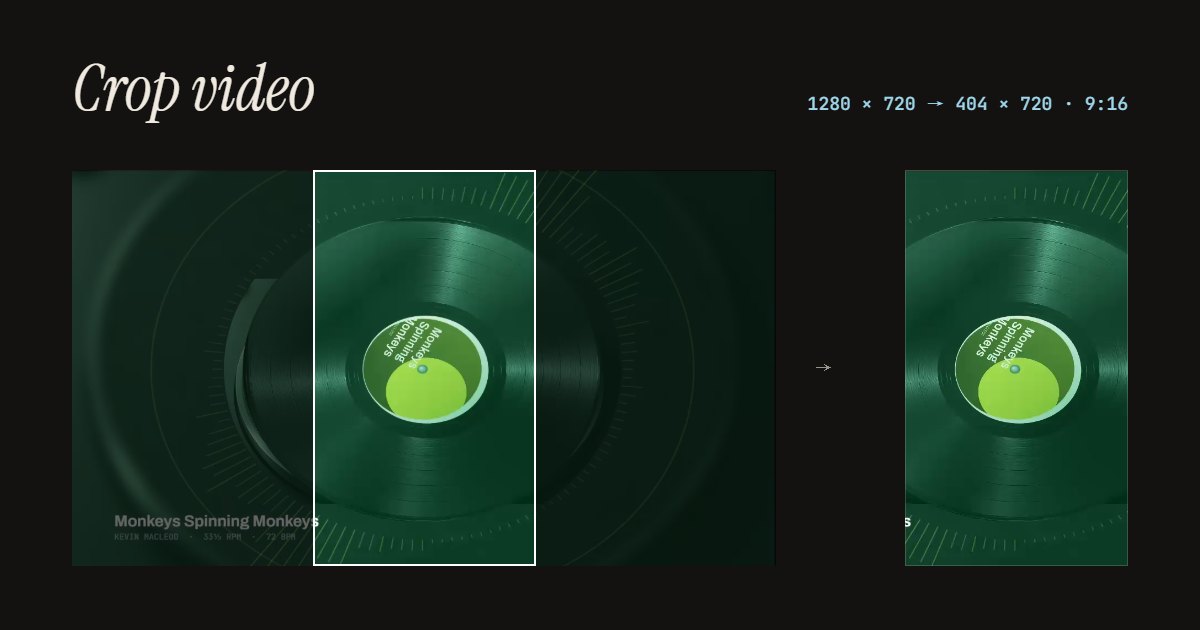
Cut a video down to the part that matters: drag a box over it, or pick 9:16 for TikTok, Reels and Shorts, 1:1, 4:5 or 16:9. The sound is kept, the pixels you keep are not scaled, and nothing uploads.
01 Video
It stays on your device. Nothing uploads.
Made with this tool
How to crop a video
- Drop your video anywhere on the page, or press Try a sample video.
- Pick a shape: 9:16, 1:1, 4:5, 16:9, or Free.
- Drag the box to the part you want to keep, and its corners to resize it.
- Press Crop the video, and download the MP4.
Related
Questions
How do I crop a video?+
Drop the video on this page. A crop box appears over it, already at 9:16 for a wide video or 1:1 for a tall one. Pick another shape if you like, drag the box to the part you want to keep and its corners to resize it, then press Crop the video. You get an MP4 of just that part, with the sound.
How do I crop a horizontal video to 9:16 for TikTok or Reels?+
Choose 9:16 and slide the box left or right over the person or thing that matters. The box keeps the full height of the video, so you lose only the sides. If you want the whole wide picture with black bars above and below instead of cutting the sides, that is a different job: changing the aspect ratio, not cropping.
Does cropping lower the quality?+
The part you keep is not scaled up or down: the new video is exactly the size of the box, in pixels. The picture is encoded again as H.264, which keeps it looking the same to the eye. A small box from a small video gives a small video, so crop from the largest copy you have.
Can I crop a video on my iPhone?+
The Photos app can crop too, with Edit and the crop tool. This page is for when you want an exact shape like 9:16 or 4:5, or are on a computer. In Safari, tap to choose the video from your library and save the MP4 back to Photos. We test in Chrome on a computer; iPhone Safari should work but we have not checked every version.
Is the sound kept?+
Yes. Cropping only changes the picture; the sound goes into the new MP4 as it was.
Is my video uploaded?+
No. Your browser reads the video and writes the cropped one on your own device. No app, no account, no watermark, and we count only that a video was cropped.